Practical-guide-providers-V1
- Source PDF:
Practical-guide-providers-V1.pdf - Rendered pages: 38
- Generated by:
pdf-to-images/process_inbox.py - Peristent link: 10.5281/zenodo.17693226
Editorial summary
So as to reach the Soil Deal for Europe goal of having 75% of EU soils healthy or significantly improved by 2030, an access to reliable and harmonised data and knowledge is required.
The SoilWise catalogue (https://repository.soilwise-he.eu/) aims at providing a single access point for scattered data and knowledge in Europe, making them FAIR (Findable, Accessible, Interoperable, Reusable). A such goal is realized during the publication step by providers, on a source repository harvested by SoilWise.
This first version of a practical guide displays how to make FAIR data and knowledge discoverable on SoilWise. It considers the use of Zenodo source repository and emphasizes the observational data and websites specificities.
Video walkthrough
Page images
Page 1
Raw text - page 1
This project has received funding from
the
Horizon
Europe
research
and
innovation
programme
under
Grant
Agreement No 101112838
SoilWise practical guide for data &
knowledge providers :
FAIR publications using Zenodo
- Application to observational data and websites -
Céline Blitz Frayret (Cirad) et al.
V1 - November 2025
DOI : 10.5281/zenodo.17693227
Page 2
Raw text - page 2
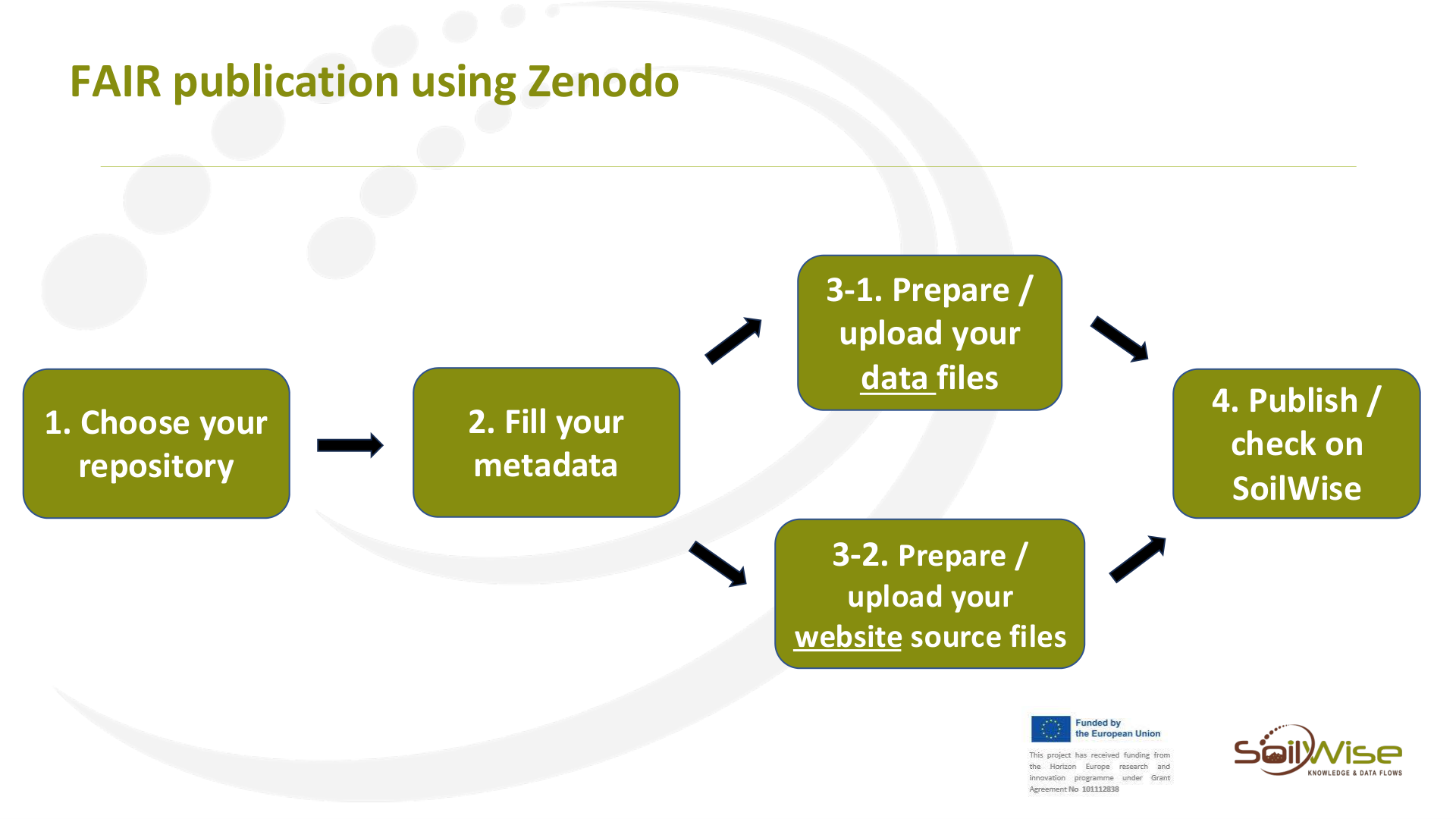
FAIR publication using Zenodo
3-1. Prepare /
upload your
data files
2. Fill your
metadata
1. Choose your
repository
4. Publish /
check on
SoilWise
3-2. Prepare /
upload your
website source files
Page 3
Raw text - page 3
FAIR publication using Zenodo
1. Choose your
repository
Page 4
Raw text - page 4
1. Choose your
repository
FAIR publication using Zenodo
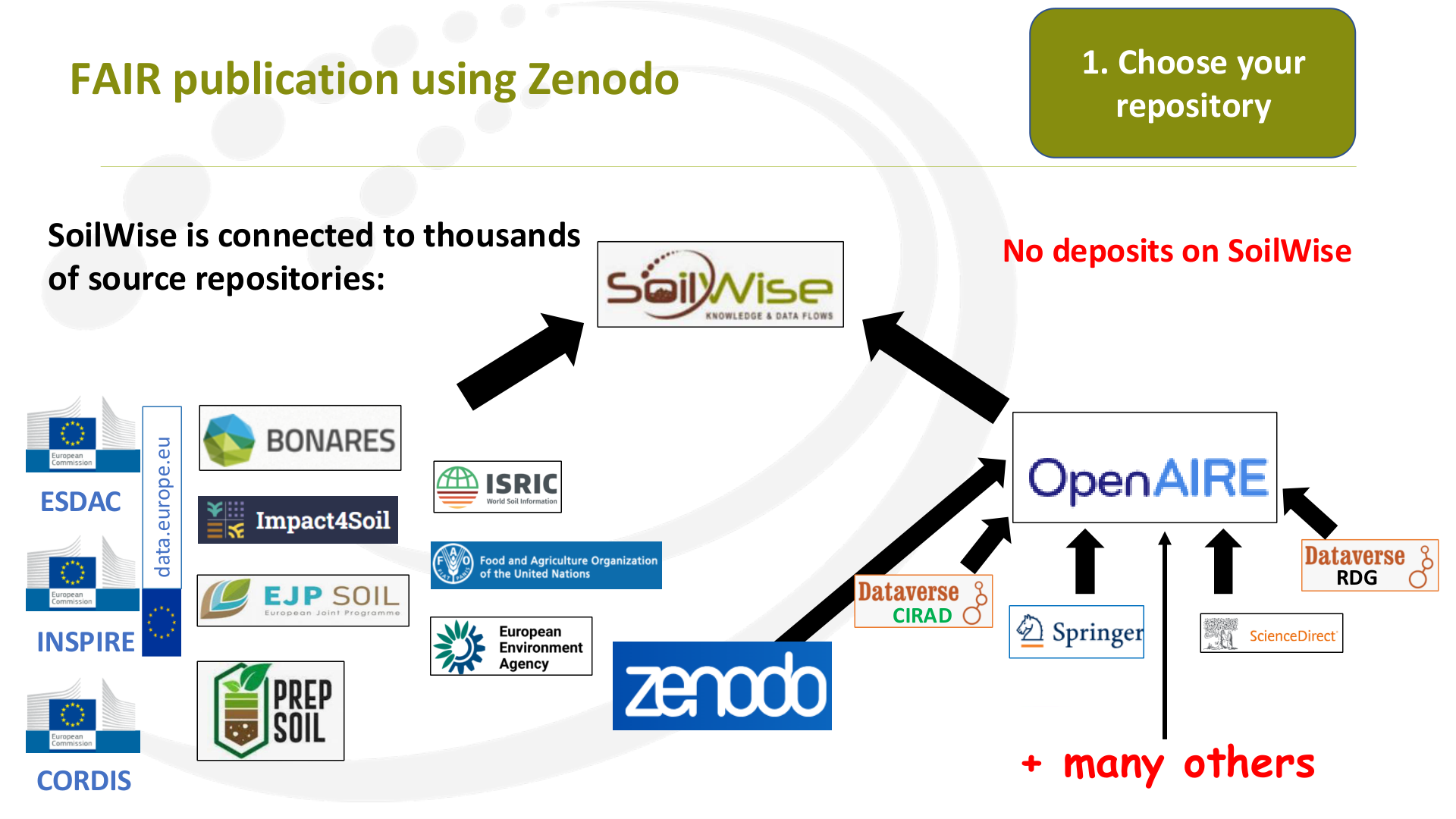
SoilWise is connected to thousands
of source repositories:
No deposits on SoilWise
CIRAD
RDG
+ many others
ESDAC
INSPIRE
CORDIS
data.europe.eu
Page 5
Raw text - page 5
1. Choose your
repository
FAIR publication using Zenodo
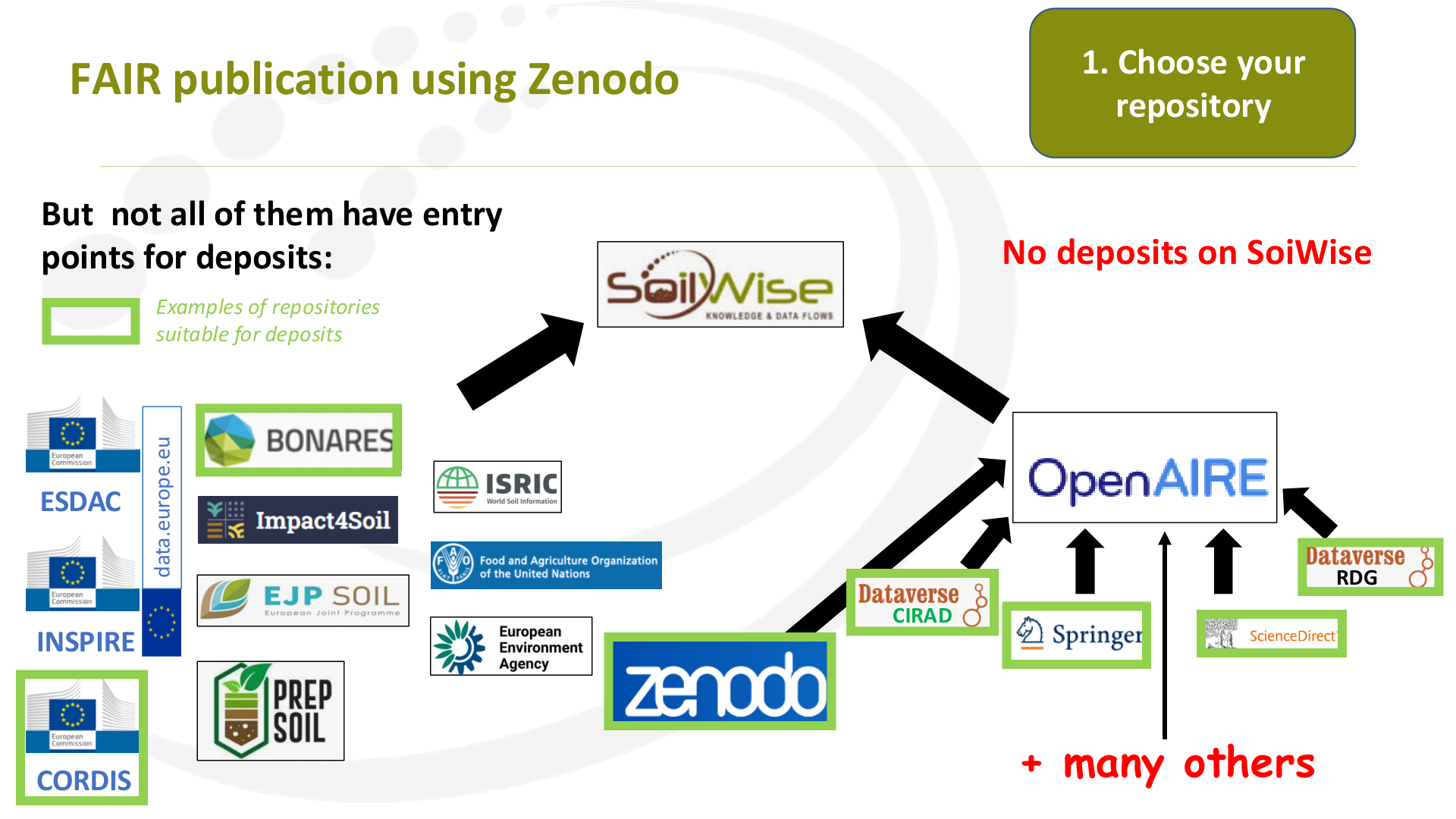
But  not all of them have entry
points for deposits:
No deposits on SoiWise
CIRAD
RDG
+ many others
ESDAC
INSPIRE
CORDIS
data.europe.eu
Examples of repositories
suitable for deposits
Page 6
Raw text - page 6
1. Choose your
repository
FAIR publication using Zenodo
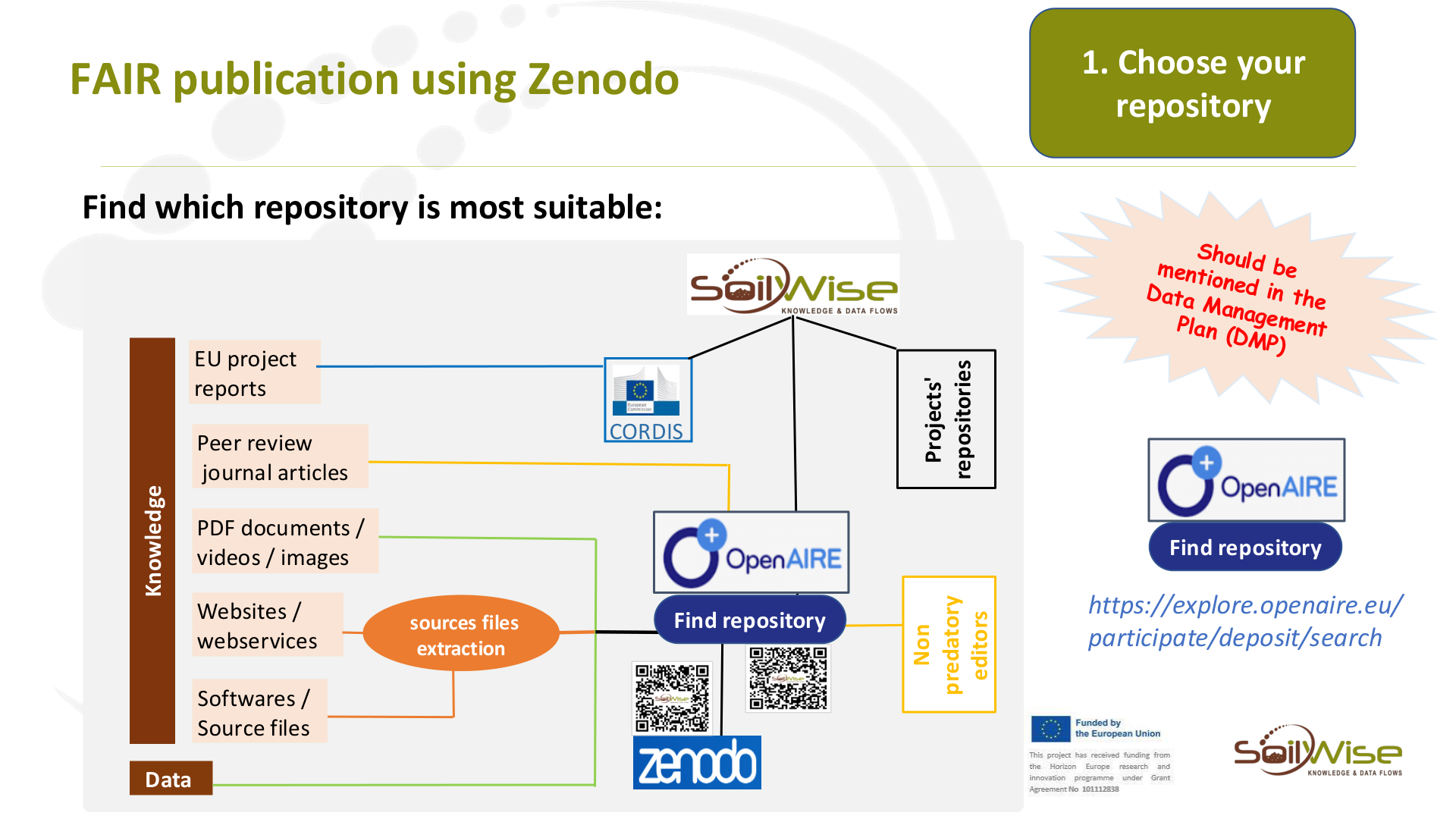
Find which repository is most suitable:
CORDIS
Projects'
repositories
Knowledge
Websites /
webservices
Peer review
journal articles
EU project
reports
sources files
extraction
Non
predatory
editors
Data
PDF documents /
videos / images
Softwares /
Source files
Find repository
https://explore.openaire.eu/
participate/deposit/search
Find repository
Page 7
Raw text - page 7
FAIR publication using Zenodo
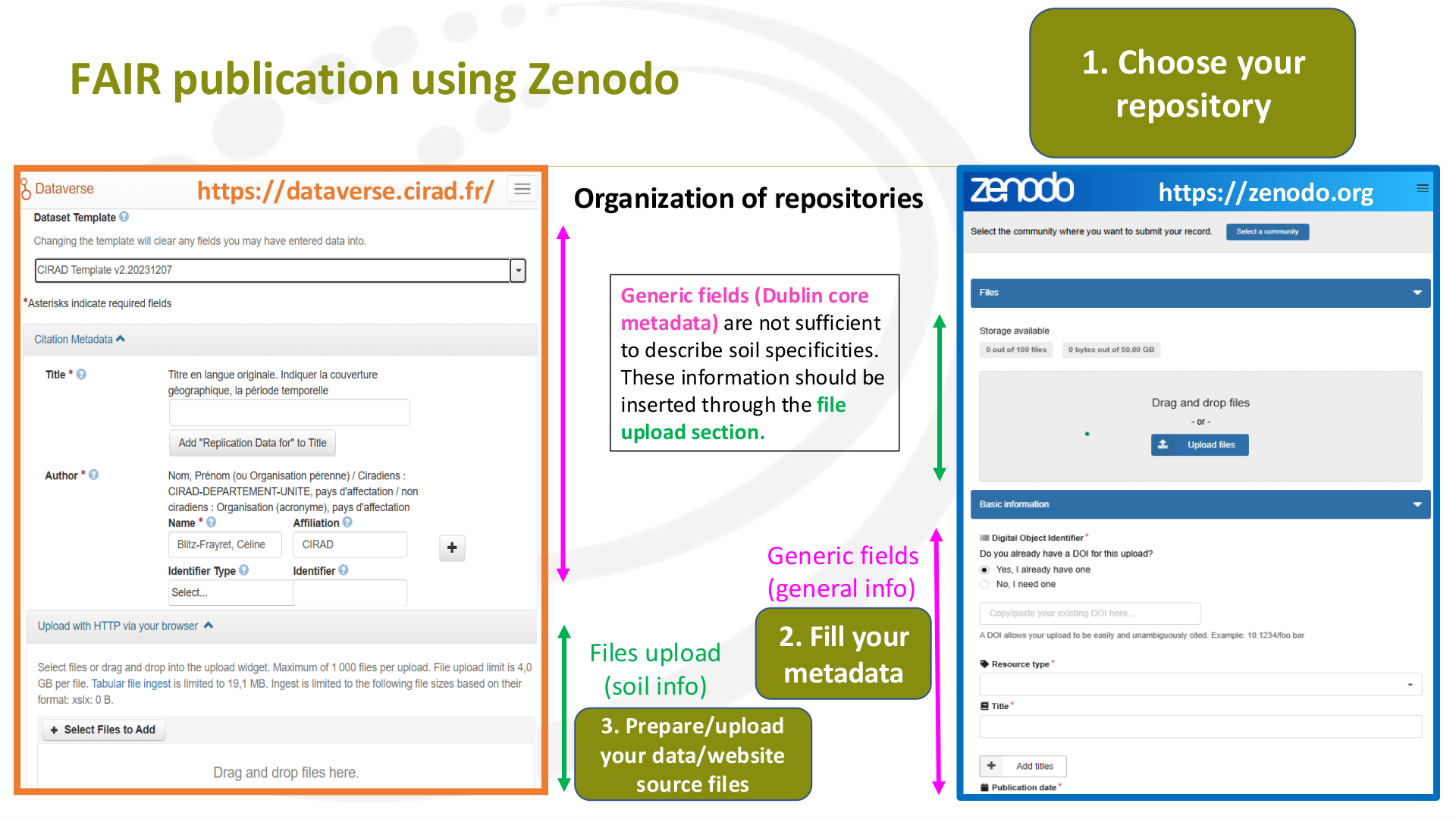
Organization of repositories
https://dataverse.cirad.fr/
Generic fields
(general info)
https://zenodo.org
Files upload
(soil info)
2. Fill your
metadata
Generic fields (Dublin core
metadata) are not sufficient
to describe soil specificities.
These information should be
inserted through the file
upload section.
1. Choose your
repository
3. Prepare/upload
your data/website
source files
Page 8
Raw text - page 8
FAIR publication using Zenodo
1. Choose your
repository
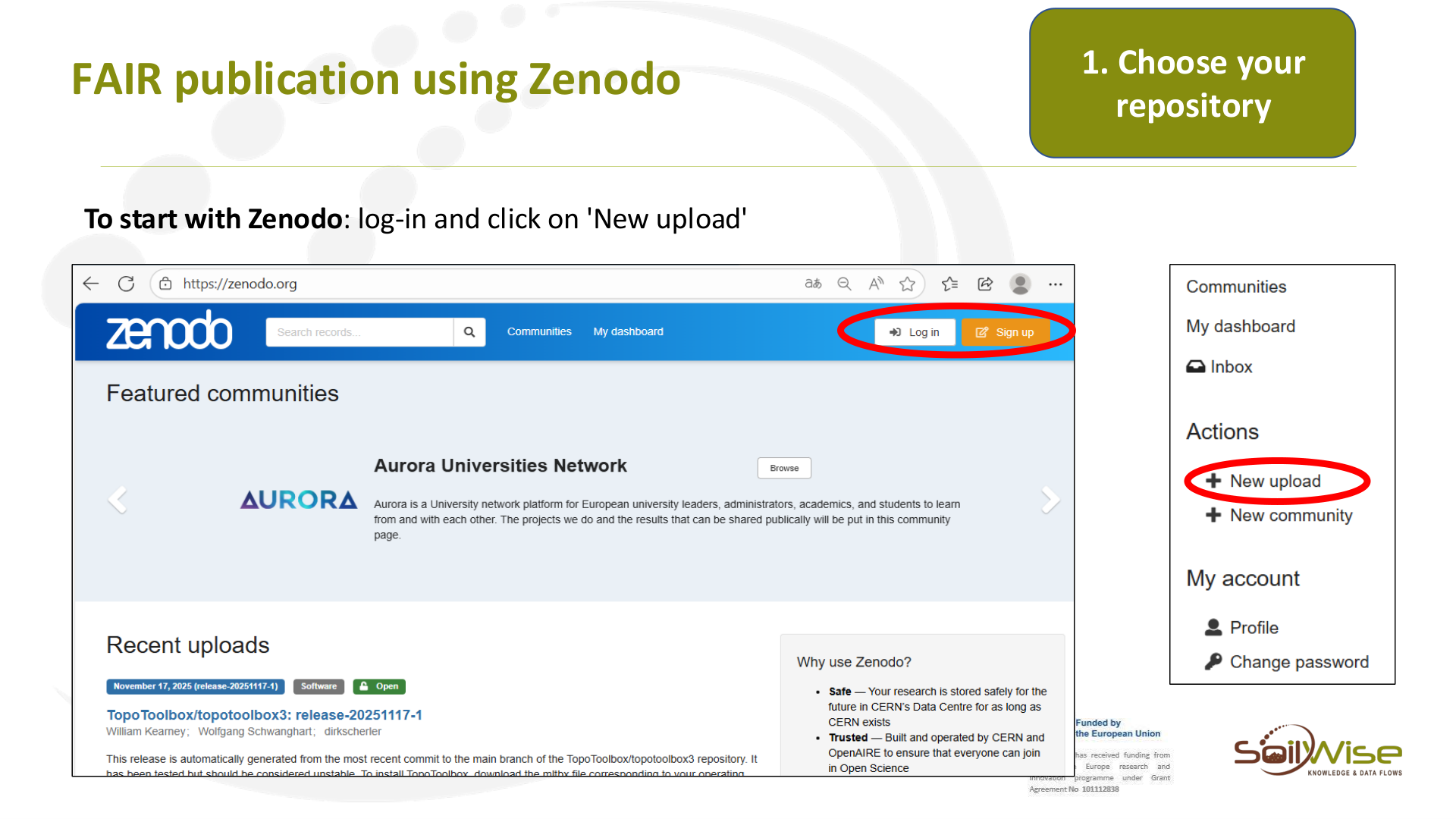
To start with Zenodo: log-in and click on 'New upload'
Page 9
Raw text - page 9
FAIR publication using Zenodo
2. Fill your
metadata
Page 10
Raw text - page 10
FAIR data publication using Zenodo
2. Fill your
metadata
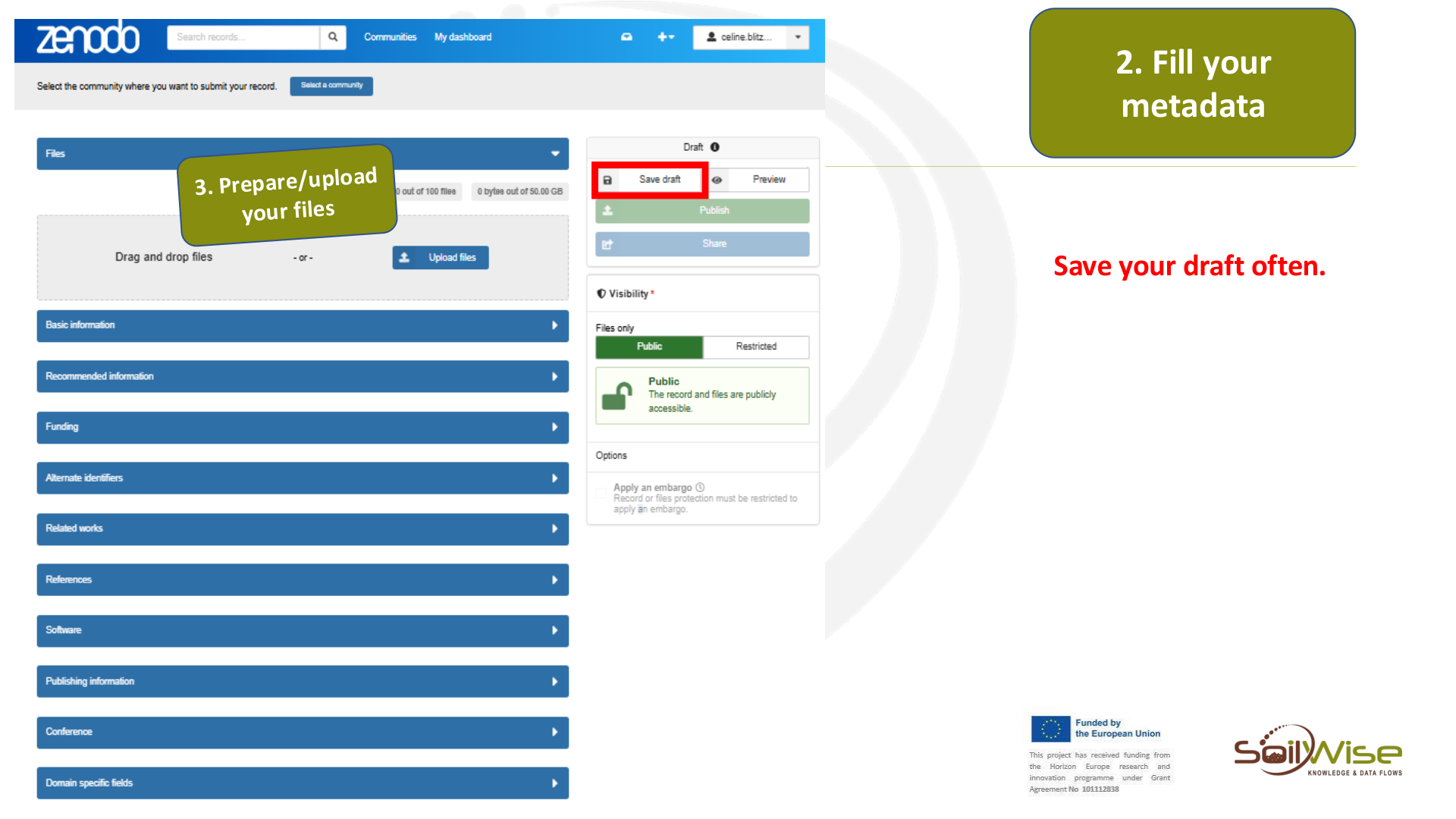
Save your draft often.
Page 11
Raw text - page 11
FAIR publication using Zenodo
2. Fill your
metadata
Files
Basic information
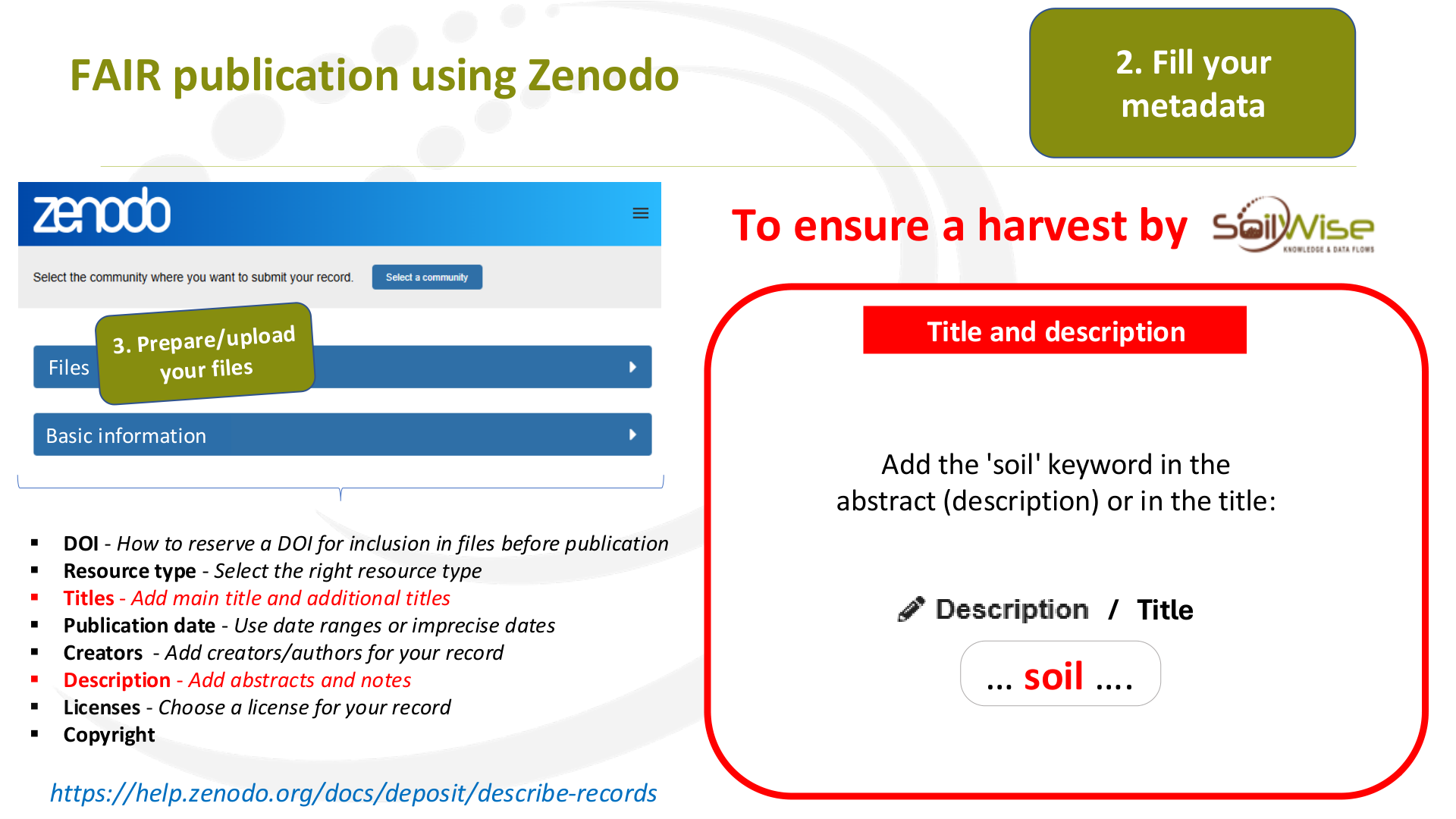
Title and description
▪
DOI - How to reserve a DOI for inclusion in files before publication
▪
Resource type - Select the right resource type
▪
Titles - Add main title and additional titles
▪
Publication date - Use date ranges or imprecise dates
▪
Creators - Add creators/authors for your record
▪
Description - Add abstracts and notes
▪
Licenses - Choose a license for your record
▪
Copyright
https://help.zenodo.org/docs/deposit/describe-records
… soil ….
/ Title
Add the 'soil' keyword in the
abstract (description) or in the title:
To ensure a harvest by
Page 12
Raw text - page 12
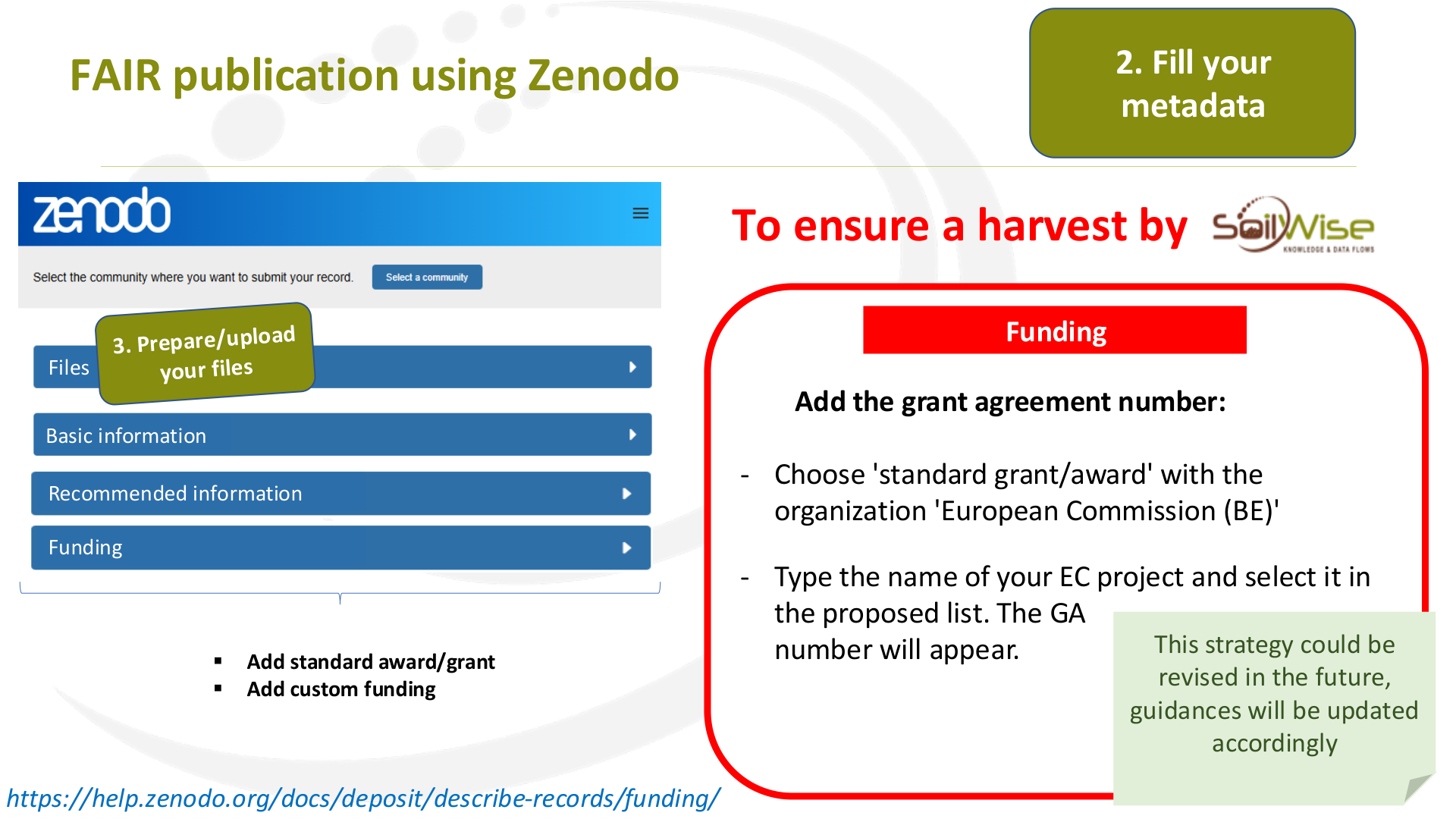
Funding
FAIR publication using Zenodo
2. Fill your
metadata
Files
Basic information
Recommended information
▪
Add standard award/grant
▪
Add custom funding
Funding
https://help.zenodo.org/docs/deposit/describe-records/funding/
    Add the grant agreement number:
-
Choose 'standard grant/award' with the
organization 'European Commission (BE)'
-
Type the name of your EC project and select it in
the proposed list. The GA
  number will appear.
To ensure a harvest by
This strategy could be
revised in the future,
guidances will be updated
accordingly
Page 13
Raw text - page 13
FAIR publication using Zenodo
2. Fill your
metadata
Files
Basic information
▪
DOI - How to reserve a DOI for inclusion in files before publication
▪
Resource type - Select the right resource type
▪
Titles - Add main title and additional titles
▪
Publication date - Use date ranges or imprecise dates
▪
Creators - Add creators/authors for your record
▪
Description - Add abstracts and notes
▪
Licenses - Choose a license for your record
▪
Copyright
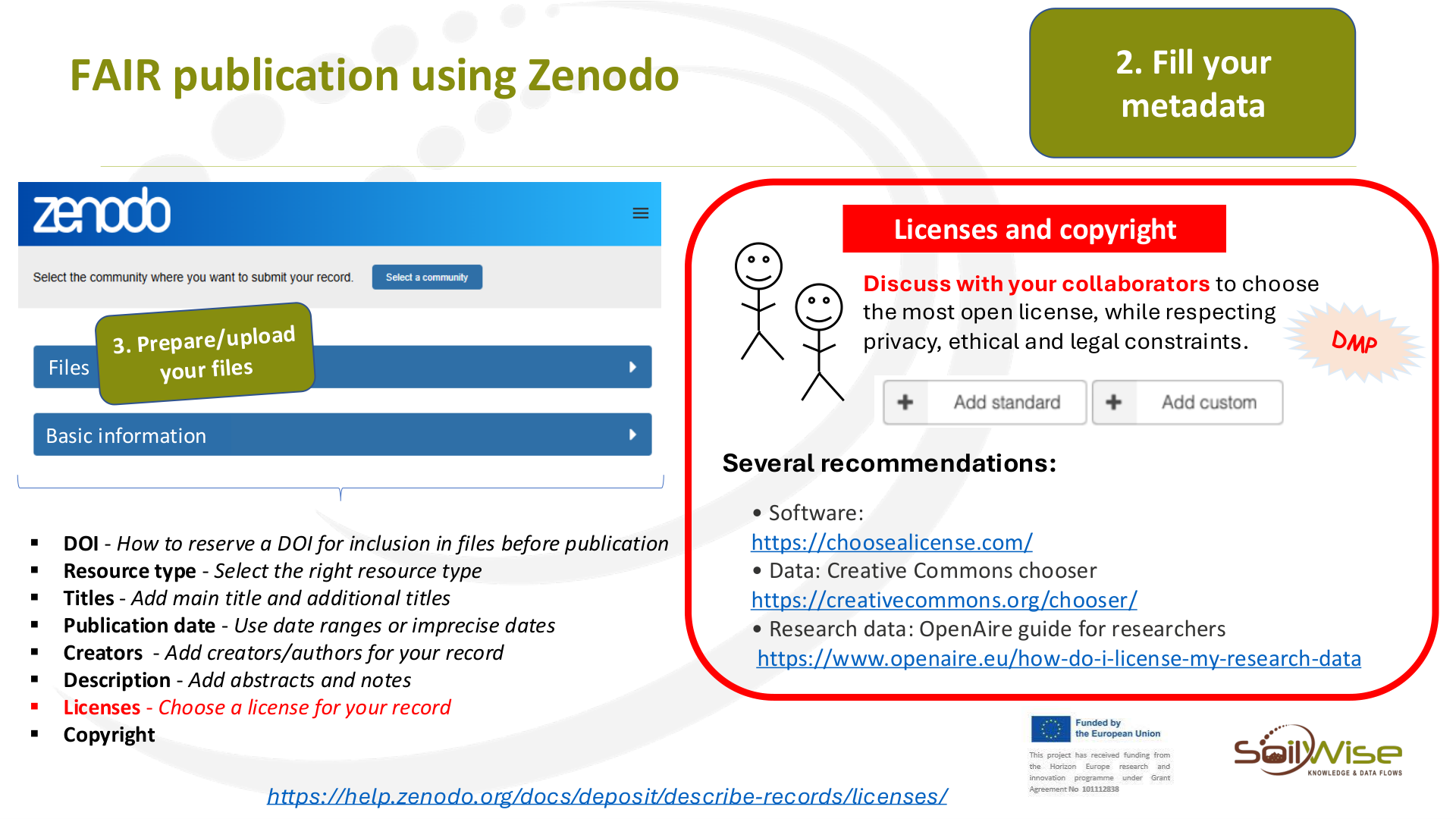
Licenses and copyright
Discuss with your collaborators to choose
the most open license, while respecting
privacy, ethical and legal constraints.
• Software:
https://choosealicense.com/
• Data: Creative Commons chooser
https://creativecommons.org/chooser/
• Research data: OpenAire guide for researchers
https://www.openaire.eu/how-do-i-license-my-research-data
Several recommendations:
https://help.zenodo.org/docs/deposit/describe-records/licenses/
Page 14
Raw text - page 14
FAIR publication using Zenodo
2. Fill your
metadata
Files
Basic information
▪
DOI - How to reserve a DOI for inclusion in files before publication
▪
Resource type - Select the right resource type
▪
Titles - Add main title and additional titles
▪
Publication date - Use date ranges or imprecise dates
▪
Creators - Add creators/authors for your record
▪
Description - Add abstracts and notes
▪
Licenses - Choose a license for your record
▪
Copyright
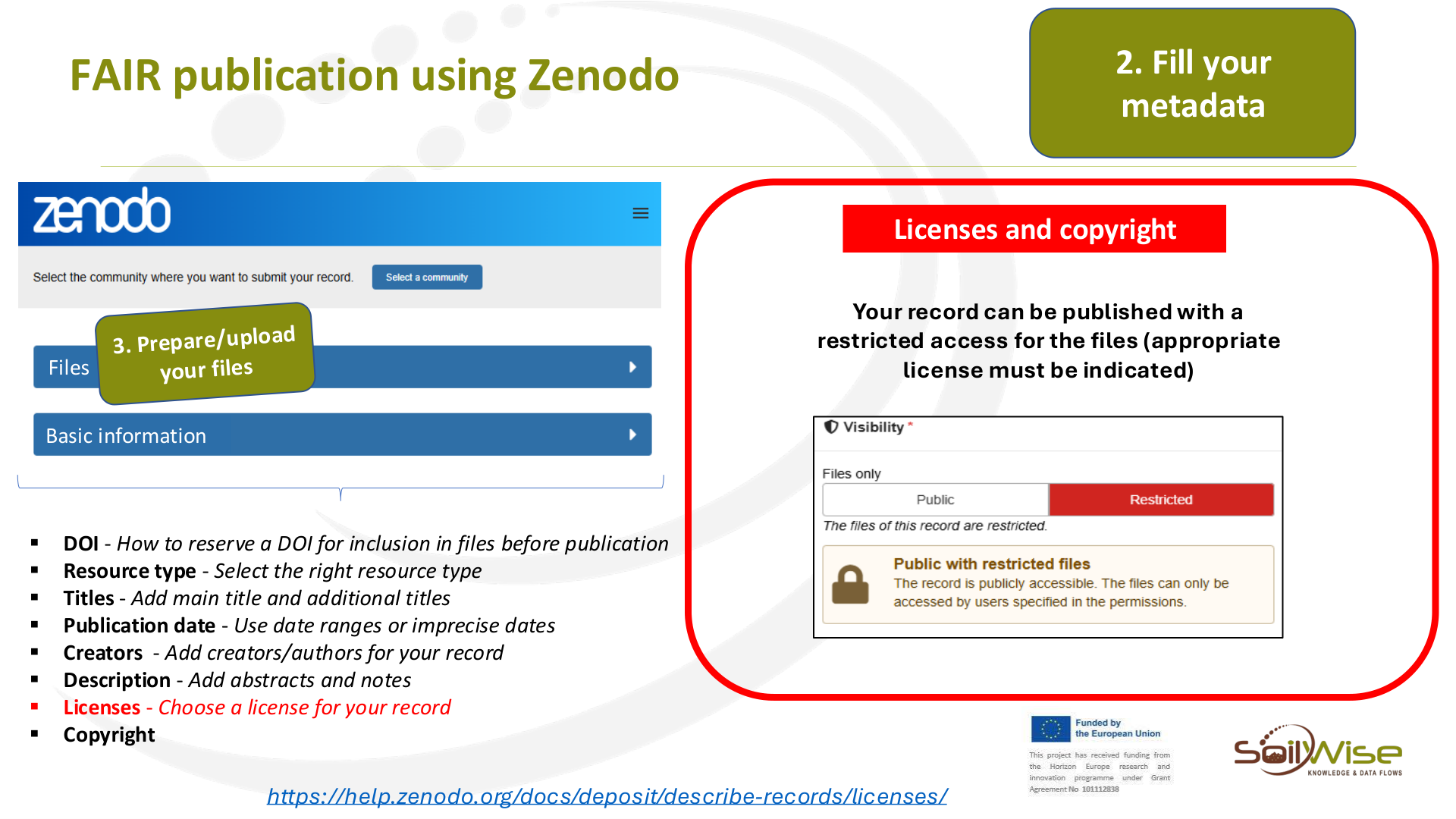
Licenses and copyright
Your record can be published with a
restricted access for the files (appropriate
license must be indicated)
https://help.zenodo.org/docs/deposit/describe-records/licenses/
Page 15
Raw text - page 15
FAIR publication using Zenodo
2. Fill your
metadata
Files
Basic information
Recommended information
▪
Contributors - Add persons/organisations that do not appear in
the citation
▪
Keywords and subjects - Choose keywords and subjects for your
record
▪
Languages
▪
Dates
▪
Version
▪
Publisher
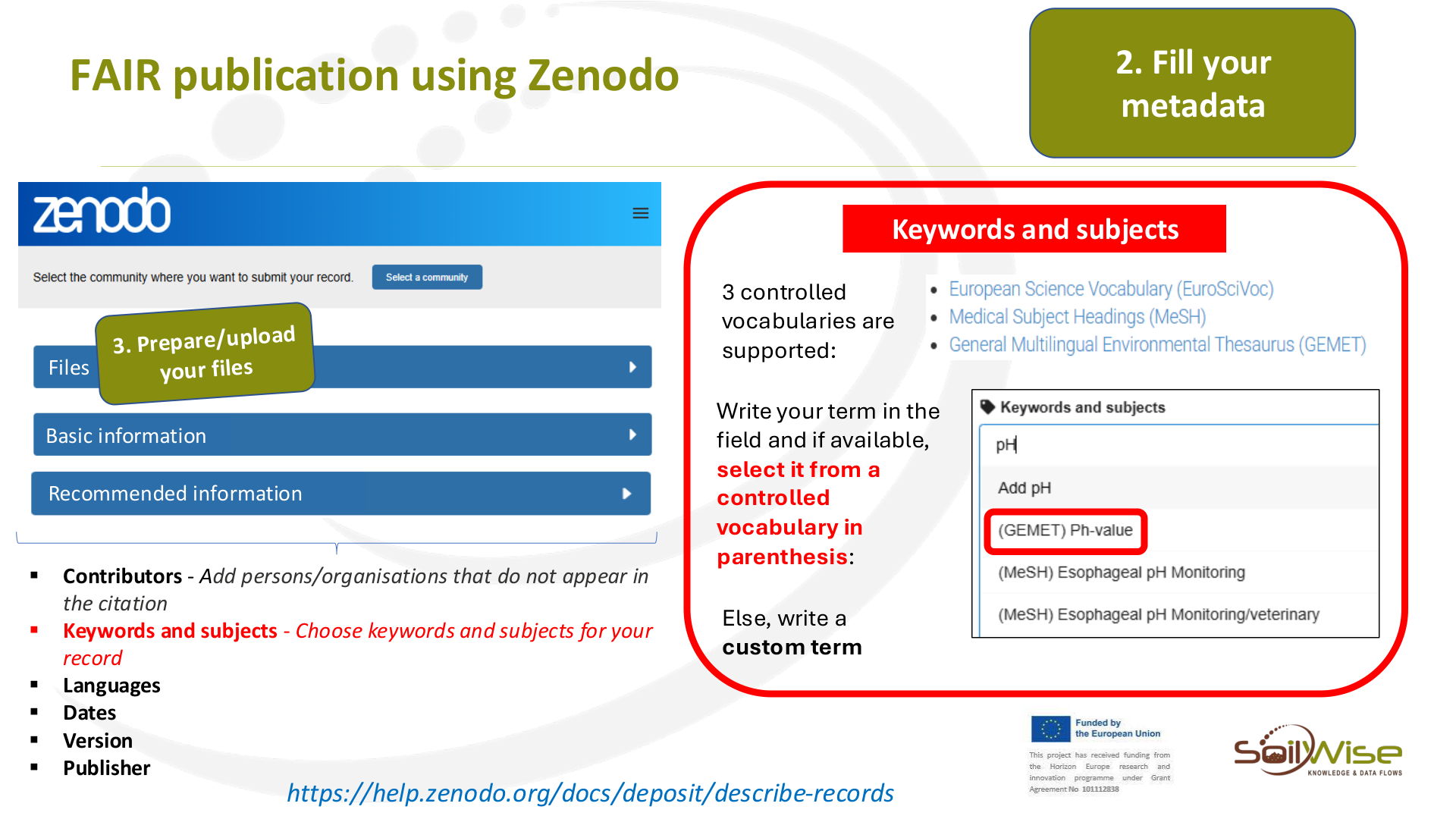
Keywords and subjects
https://help.zenodo.org/docs/deposit/describe-records
3 controlled
vocabularies are
supported:
Write your term in the
field and if available,
select it from a
controlled
vocabulary in
parenthesis:
Else, write a
custom term
Page 16
Raw text - page 16
FAIR publication using Zenodo
2. Fill your
metadata
Files
Alternate identifiers
Related works
References
Software
Publishing information
Conference
Domain specific field
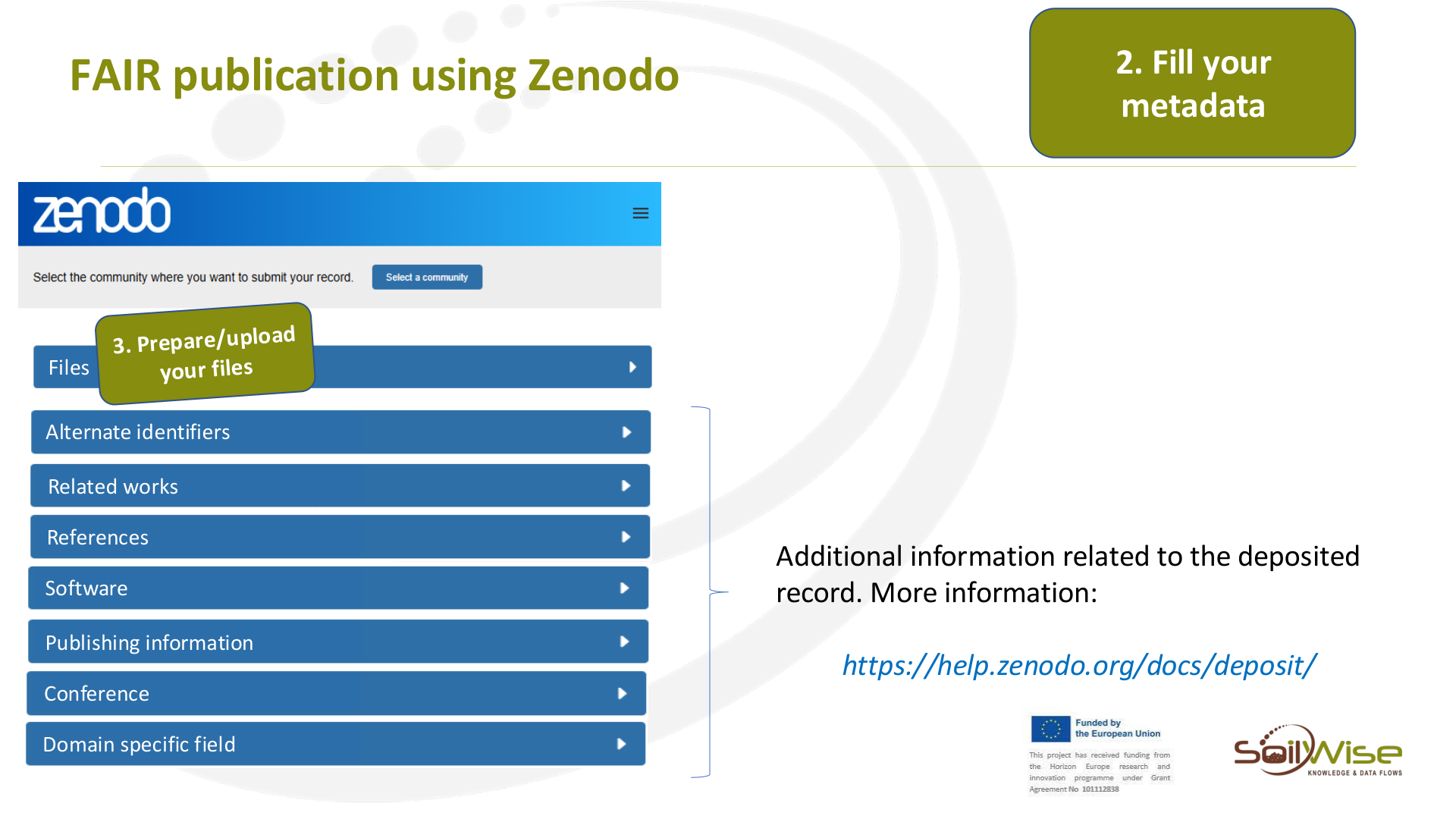
Additional information related to the deposited
record. More information:
https://help.zenodo.org/docs/deposit/
Page 17
Raw text - page 17
FAIR publication using Zenodo
3.1 Prepare/upload
your data files
Page 18
Raw text - page 18
FAIR publication using Zenodo
Humans
Machines
CSV files
JSON files
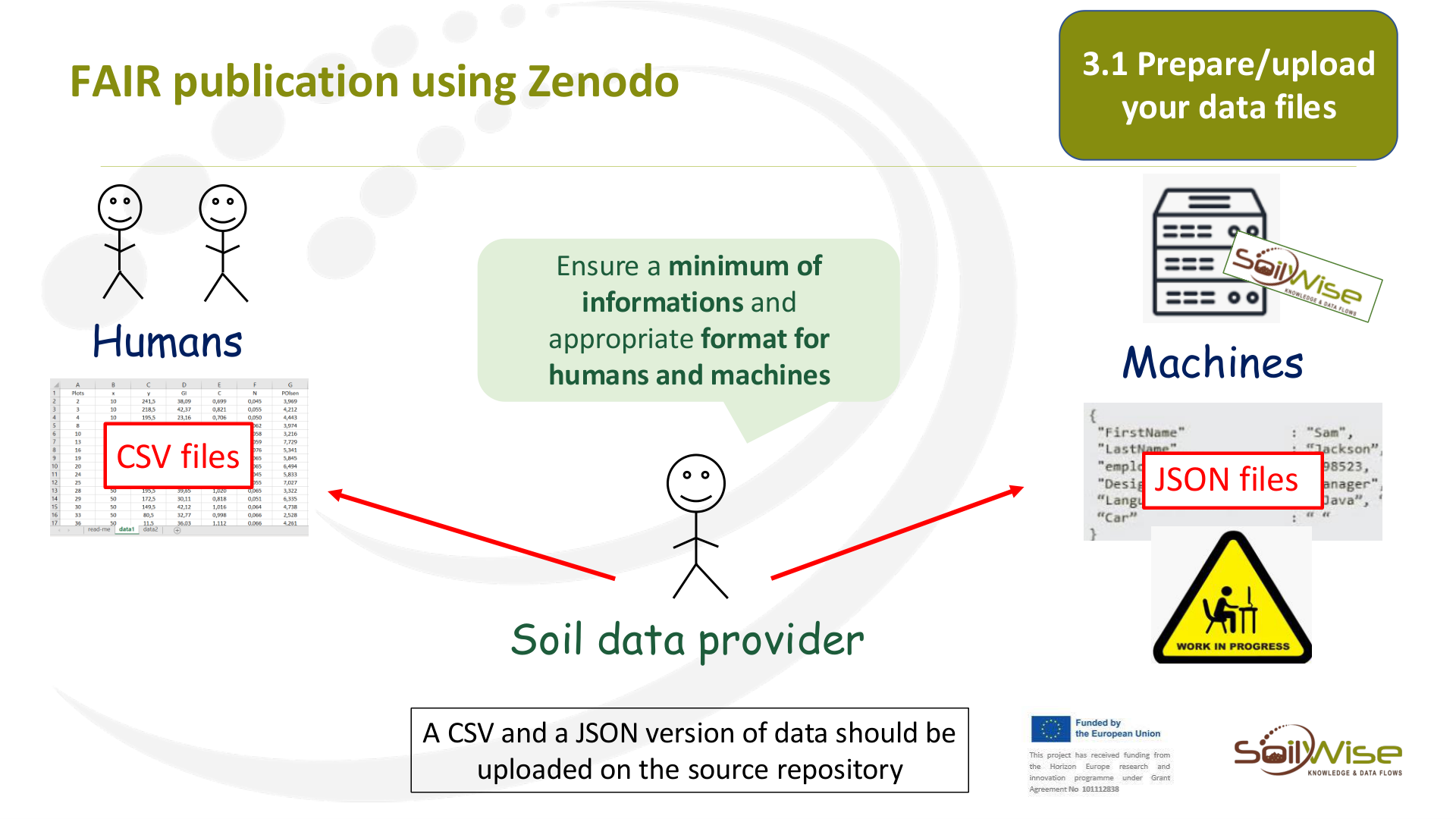
Soil data provider
Ensure a minimum of
informations and
appropriate format for
humans and machines
A CSV and a JSON version of data should be
uploaded on the source repository
3.1 Prepare/upload
your data files
Page 19
Raw text - page 19
FAIR publication using Zenodo
Soil data provider
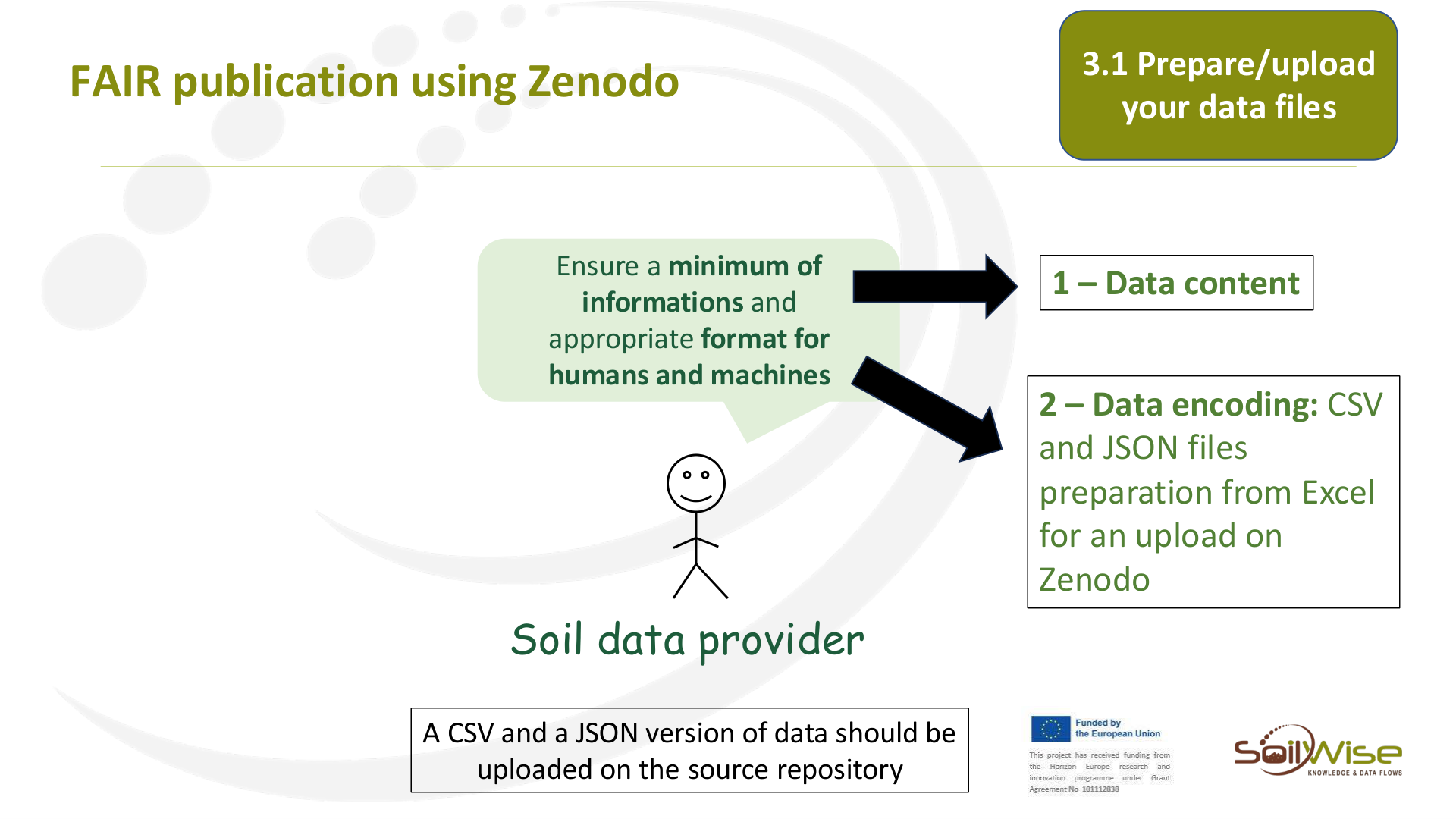
Ensure a minimum of
informations and
appropriate format for
humans and machines
A CSV and a JSON version of data should be
uploaded on the source repository
3.1 Prepare/upload
your data files
1 – Data content
2 – Data encoding: CSV
and JSON files
preparation from Excel
for an upload on
Zenodo
Page 20
Raw text - page 20
FAIR publication using Zenodo
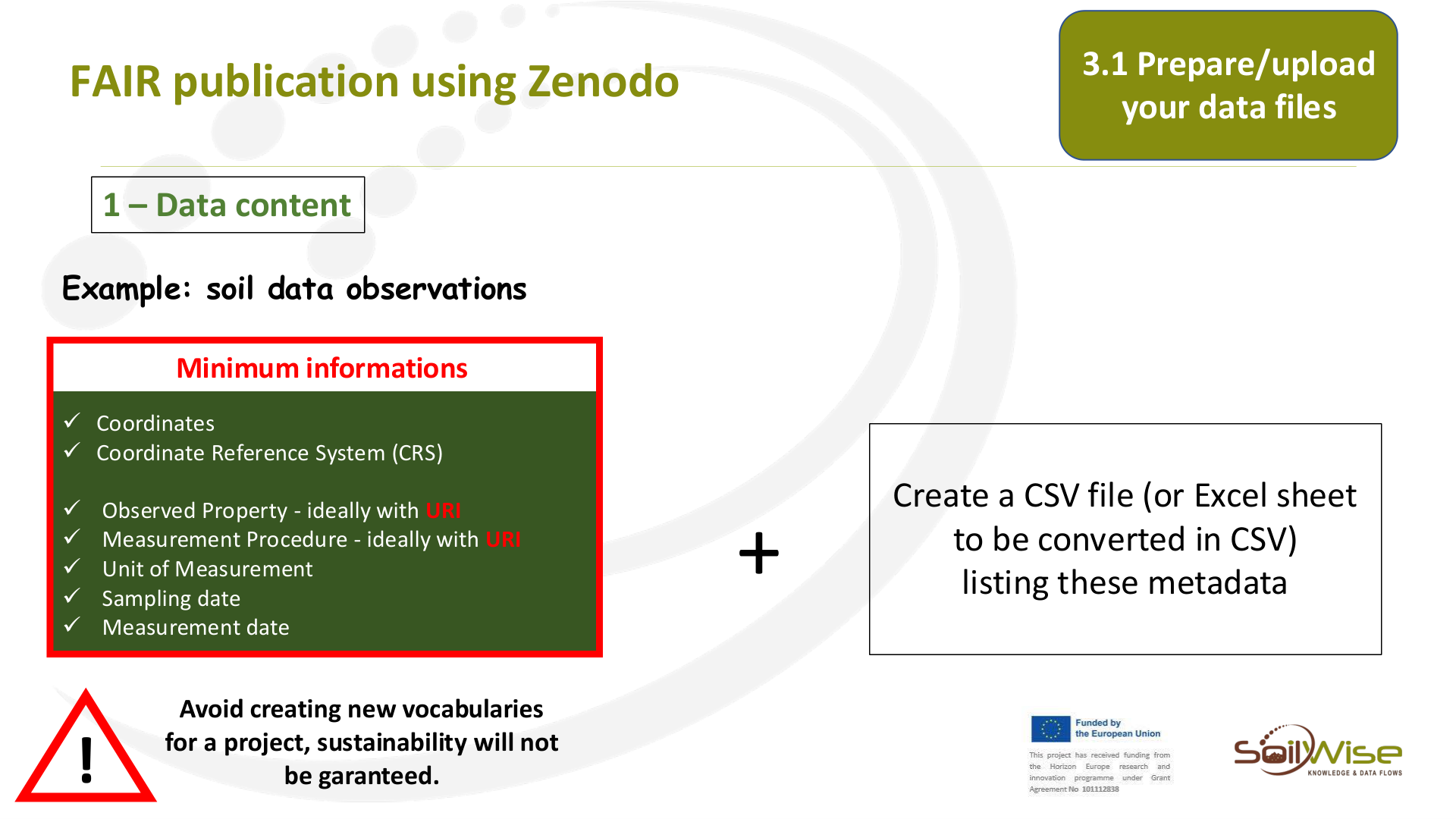
1 – Data content
Example: soil data observations
Create a CSV file (or Excel sheet
to be converted in CSV)
listing these metadata
+
!
Avoid creating new vocabularies
for a project, sustainability will not
be garanteed.
3.1 Prepare/upload
your data files
✓Coordinates
✓Coordinate Reference System (CRS)
✓ Observed Property - ideally with URI
✓ Measurement Procedure - ideally with URI
✓ Unit of Measurement
✓ Sampling date
✓ Measurement date
Minimum informations
Page 21
Raw text - page 21
FAIR publication using Zenodo
1 – Data content
Example: soil data observations
✓Coordinates
✓Coordinate Reference System (CRS)
✓ Observed Property - ideally with URI
✓ Measurement Procedure - ideally with URI
✓ Unit of Measurement
✓ Sampling date
✓ Measurement date
Minimum informations
!
Avoid creating new vocabularies
for a project, sustainability will not
be garanteed.
3.1 Prepare/upload
your data files
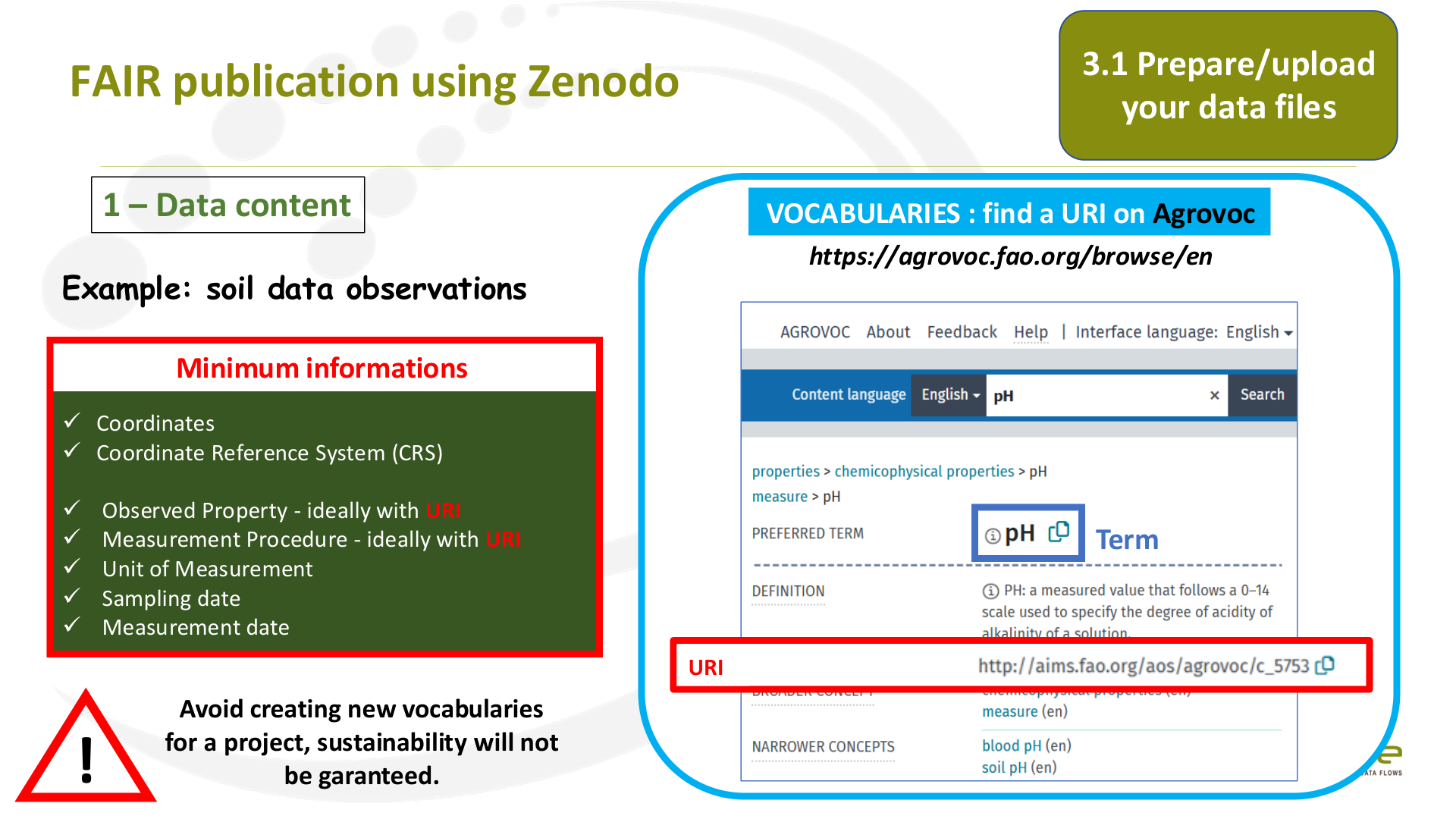
VOCABULARIES : find a URI on Agrovoc
https://agrovoc.fao.org/browse/en
URI
Term
Page 22
Raw text - page 22
FAIR publication using Zenodo
1 – Data content
Example: soil data observations
!
Avoid creating new vocabularies
for a project, sustainability will not
be garanteed.
3.1 Prepare/upload
your data files
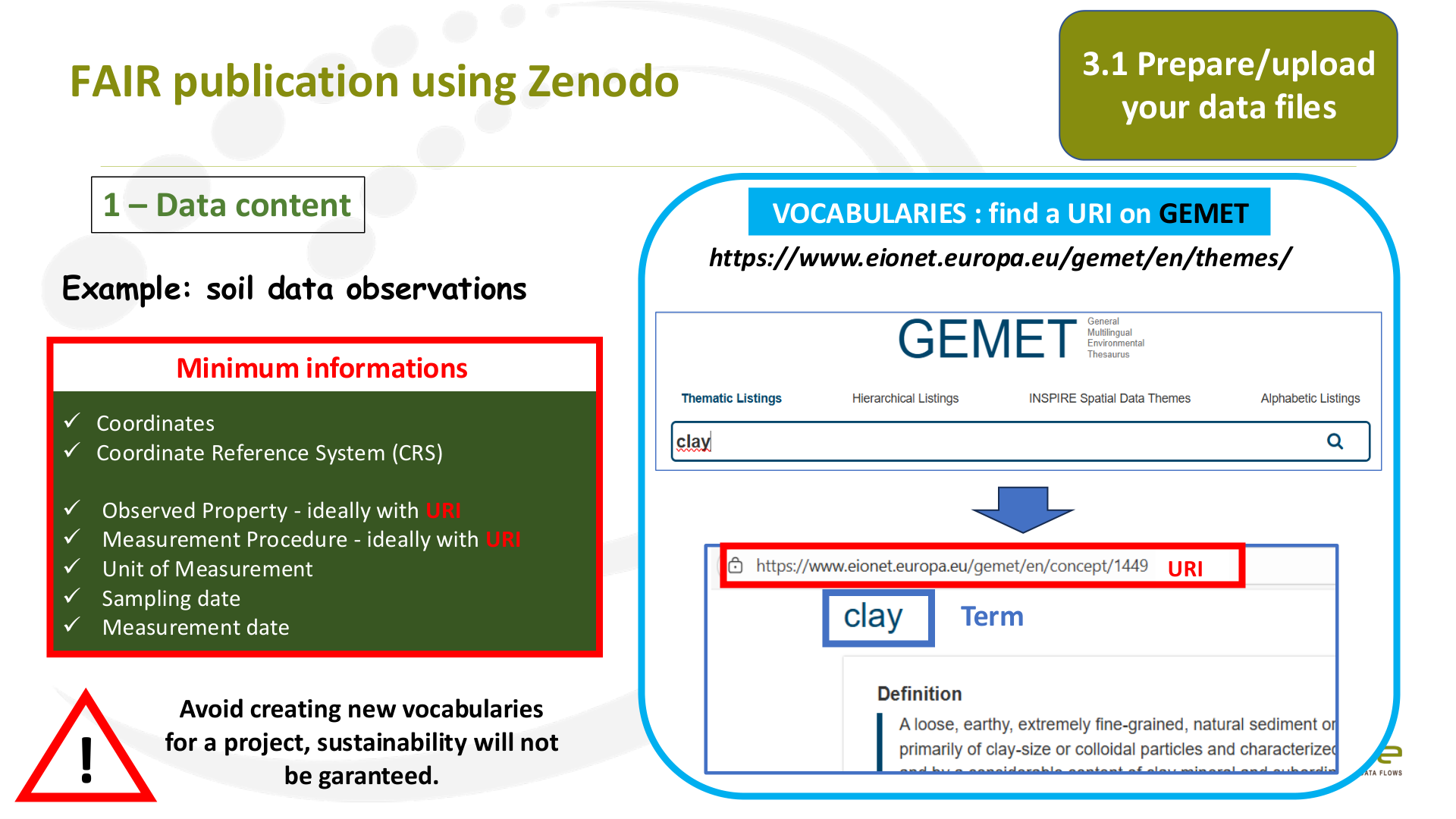
VOCABULARIES : find a URI on GEMET
https://www.eionet.europa.eu/gemet/en/themes/
URI
Term
✓Coordinates
✓Coordinate Reference System (CRS)
✓ Observed Property - ideally with URI
✓ Measurement Procedure - ideally with URI
✓ Unit of Measurement
✓ Sampling date
✓ Measurement date
Minimum informations
Page 23
Raw text - page 23
FAIR publication using Zenodo
1 – Data content
Example: soil data observations
✓Coordinates
✓Coordinate Reference System (CRS)
✓ Observed Property - ideally with URI
✓ Measurement Procedure - ideally with URI
✓ Unit of Measurement
✓ Sampling date
✓ Measurement date
Minimum informations
!
Avoid creating new vocabularies
for a project, sustainability will not
be garanteed.
3.1 Prepare/upload
your data files
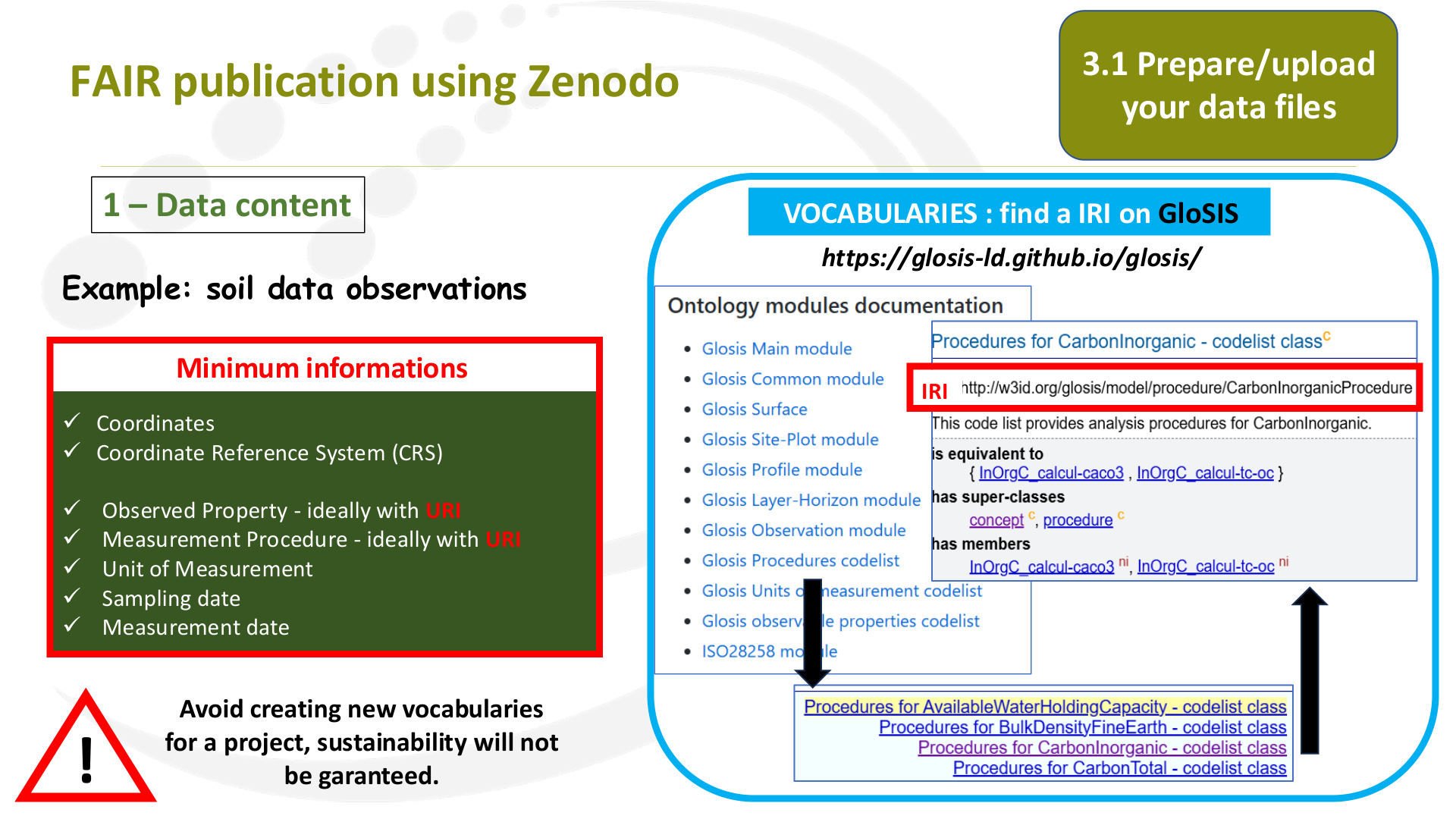
VOCABULARIES : find a IRI on GloSIS
https://glosis-ld.github.io/glosis/
IRI
Page 24
Raw text - page 24
FAIR publication using Zenodo
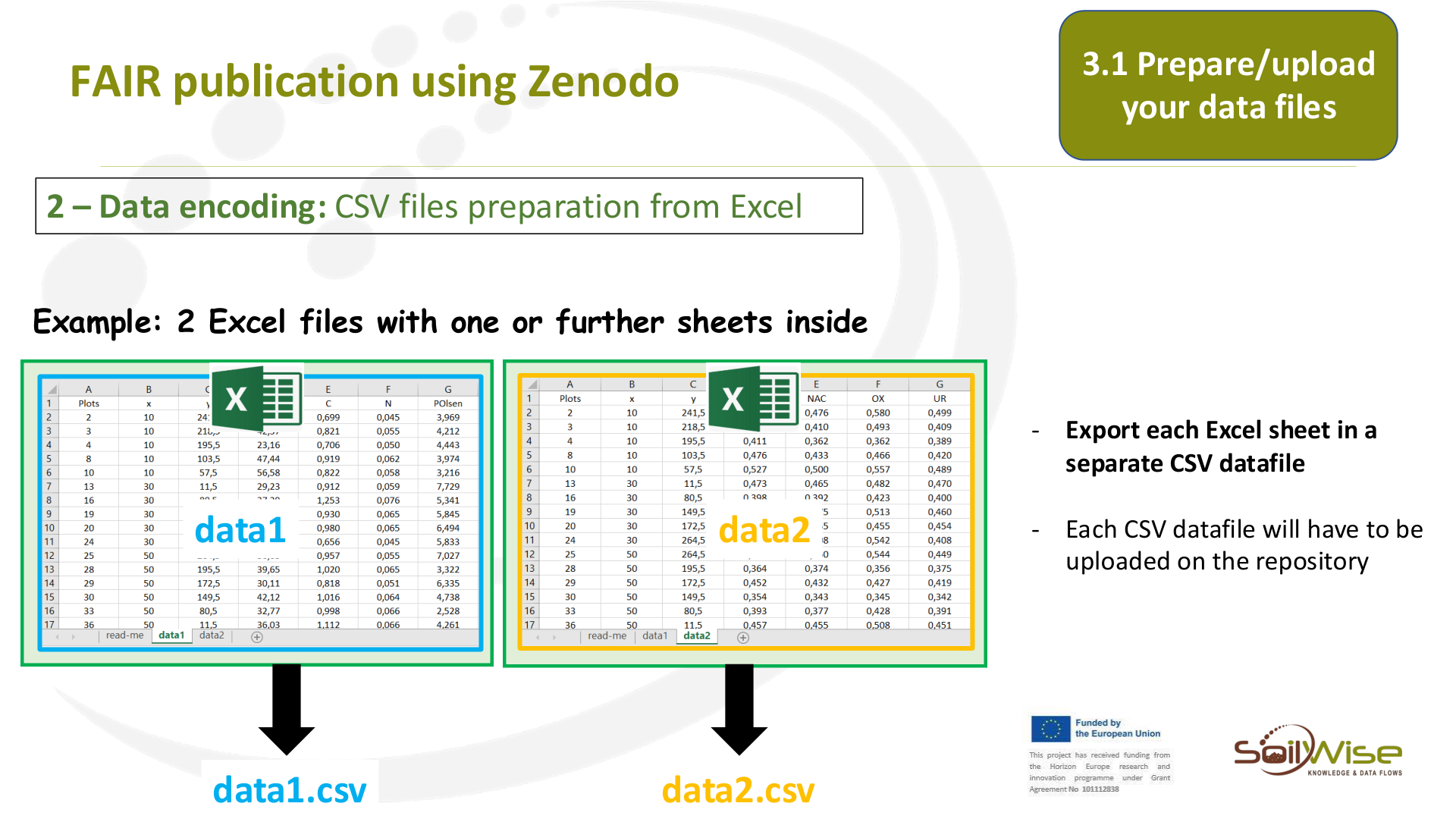
-
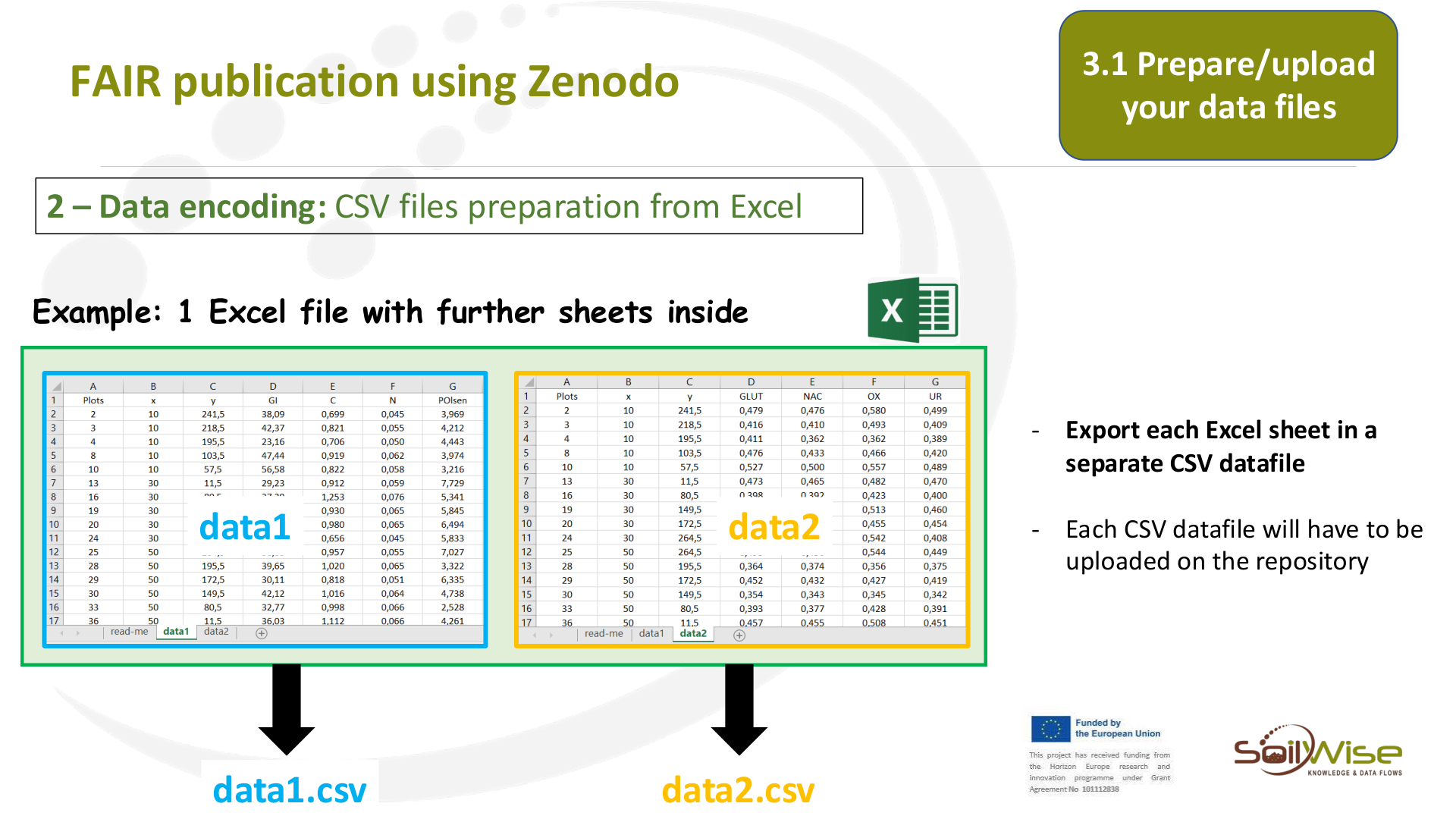
Export each Excel sheet in a
separate CSV datafile
-
Each CSV datafile will have to be
uploaded on the repository
data1
data2
data1.csv
data2.csv
Example: 1 Excel file with further sheets inside
3.1 Prepare/upload
your data files
2 – Data encoding: CSV files preparation from Excel
Page 25
Raw text - page 25
FAIR publication using Zenodo
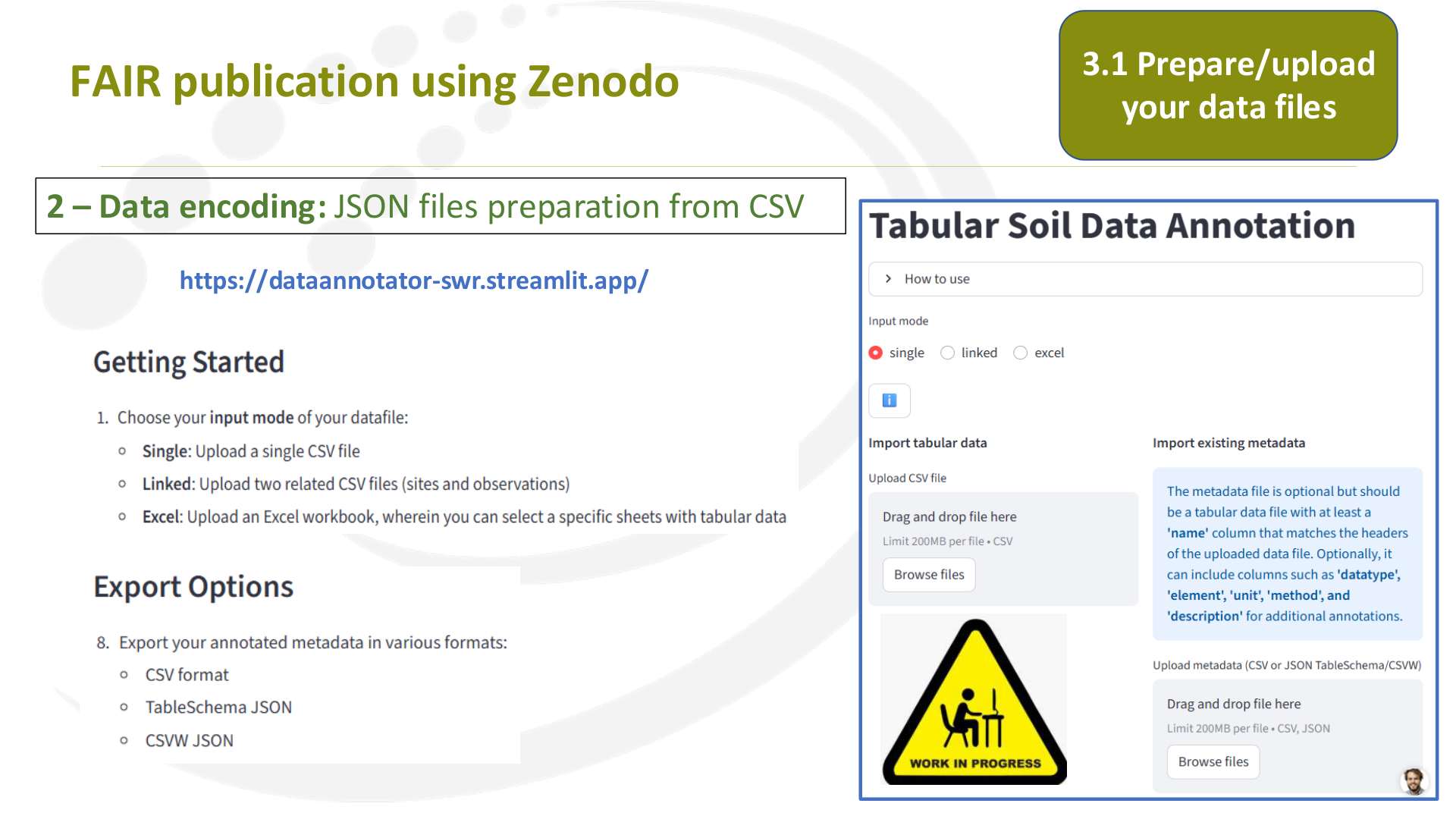
-
Export each Excel sheet in a
separate CSV datafile
-
Each CSV datafile will have to be
uploaded on the repository
data1
data2
data1.csv
data2.csv
Example: 2 Excel files with one or further sheets inside
2 – Data encoding: CSV files preparation from Excel
3.1 Prepare/upload
your data files
Page 26
Raw text - page 26
FAIR publication using Zenodo
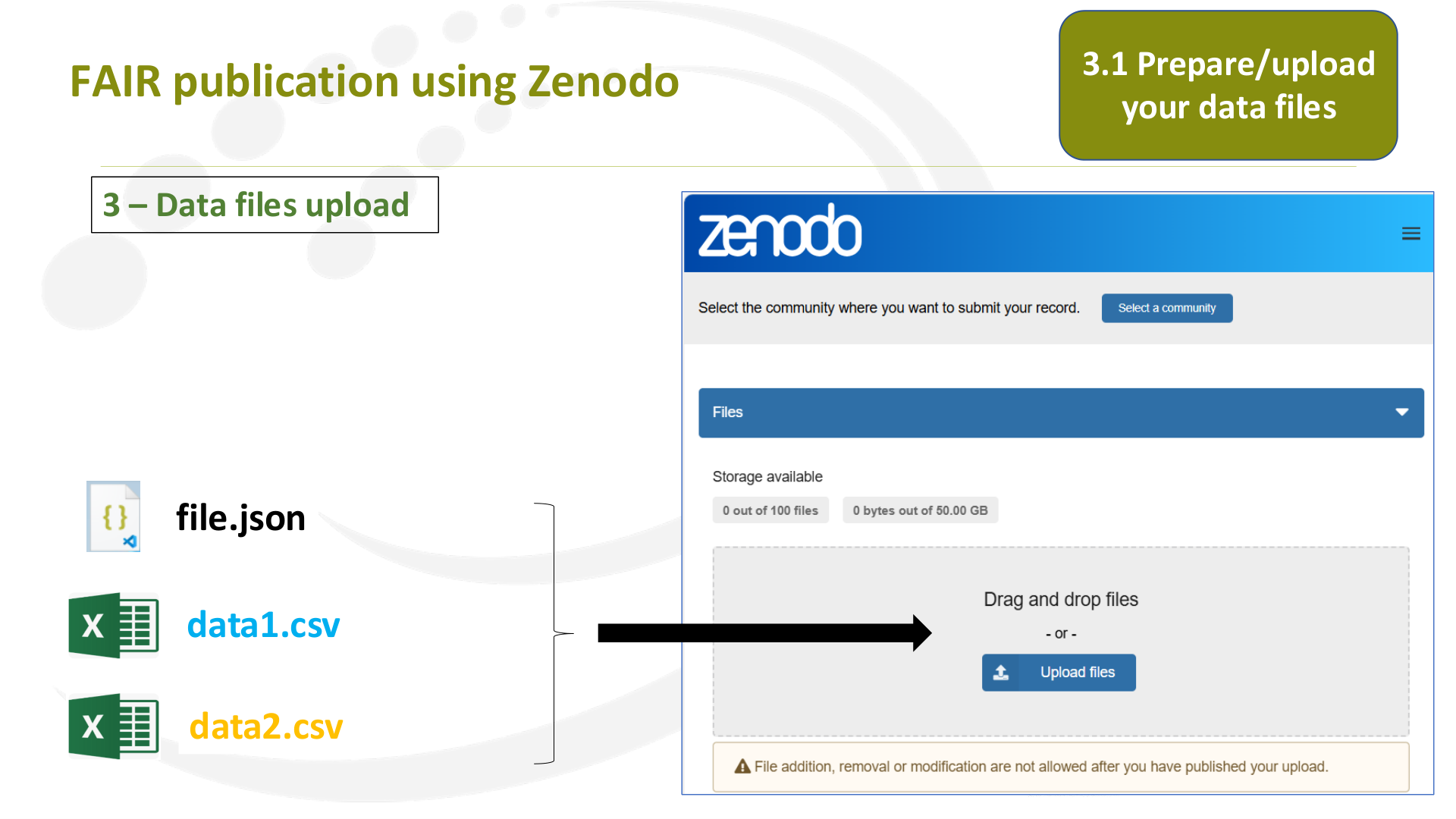
2 – Data encoding: JSON files preparation from CSV
3.1 Prepare/upload
your data files
https://dataannotator-swr.streamlit.app/
Page 27
Raw text - page 27
FAIR publication using Zenodo
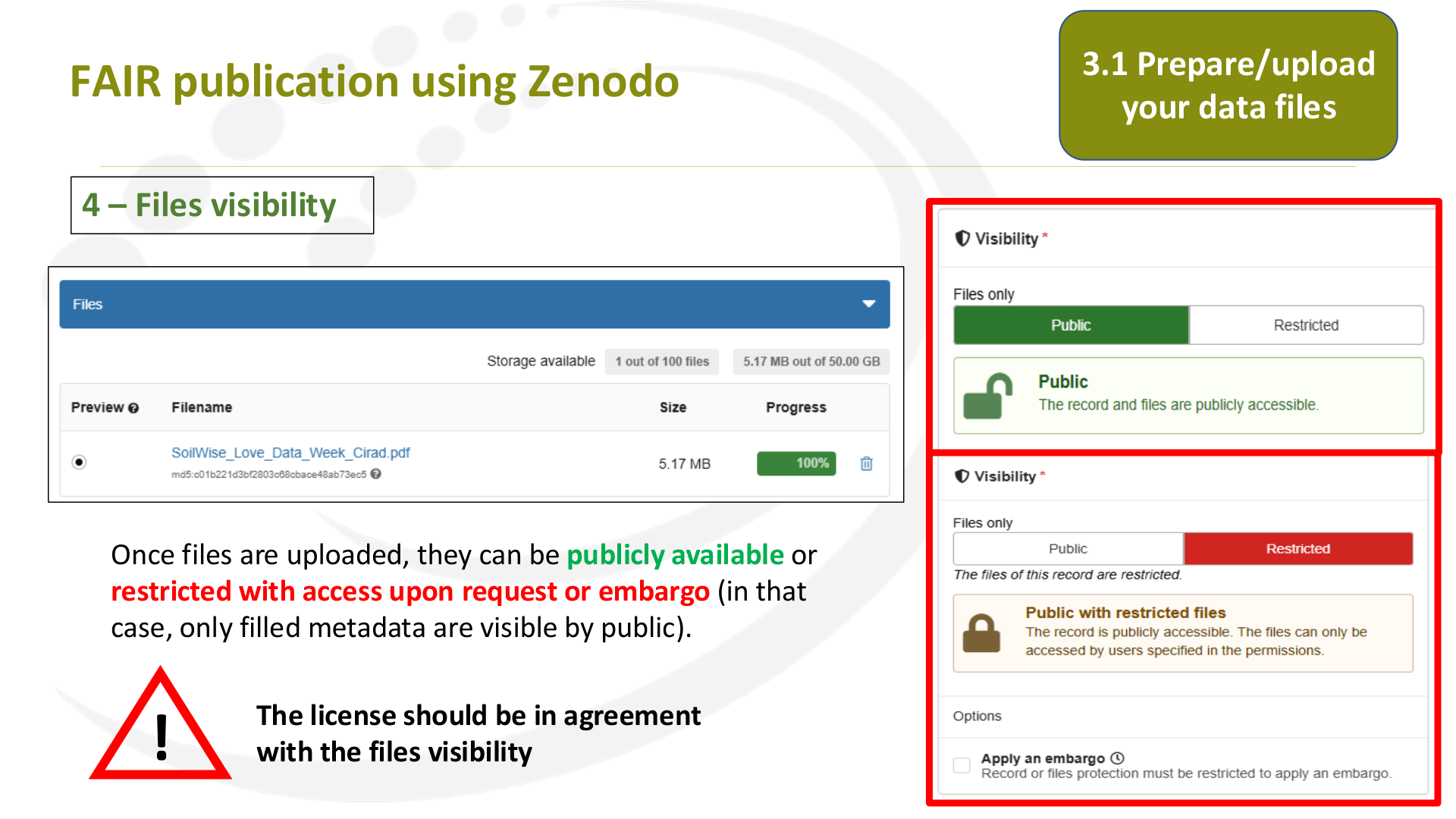
3 – Data files upload
data1.csv
data2.csv
file.json
3.1 Prepare/upload
your data files
Page 28
Raw text - page 28
FAIR publication using Zenodo
4 – Files visibility
Once files are uploaded, they can be publicly available or
restricted with access upon request or embargo (in that
case, only filled metadata are visible by public).
!
The license should be in agreement
with the files visibility
3.1 Prepare/upload
your data files
Page 29
Raw text - page 29
FAIR publication using Zenodo
3.2 Prepare/upload
your website
source files
Page 30
Raw text - page 30
FAIR publication using Zenodo
3.2 Prepare/upload
your website
source files
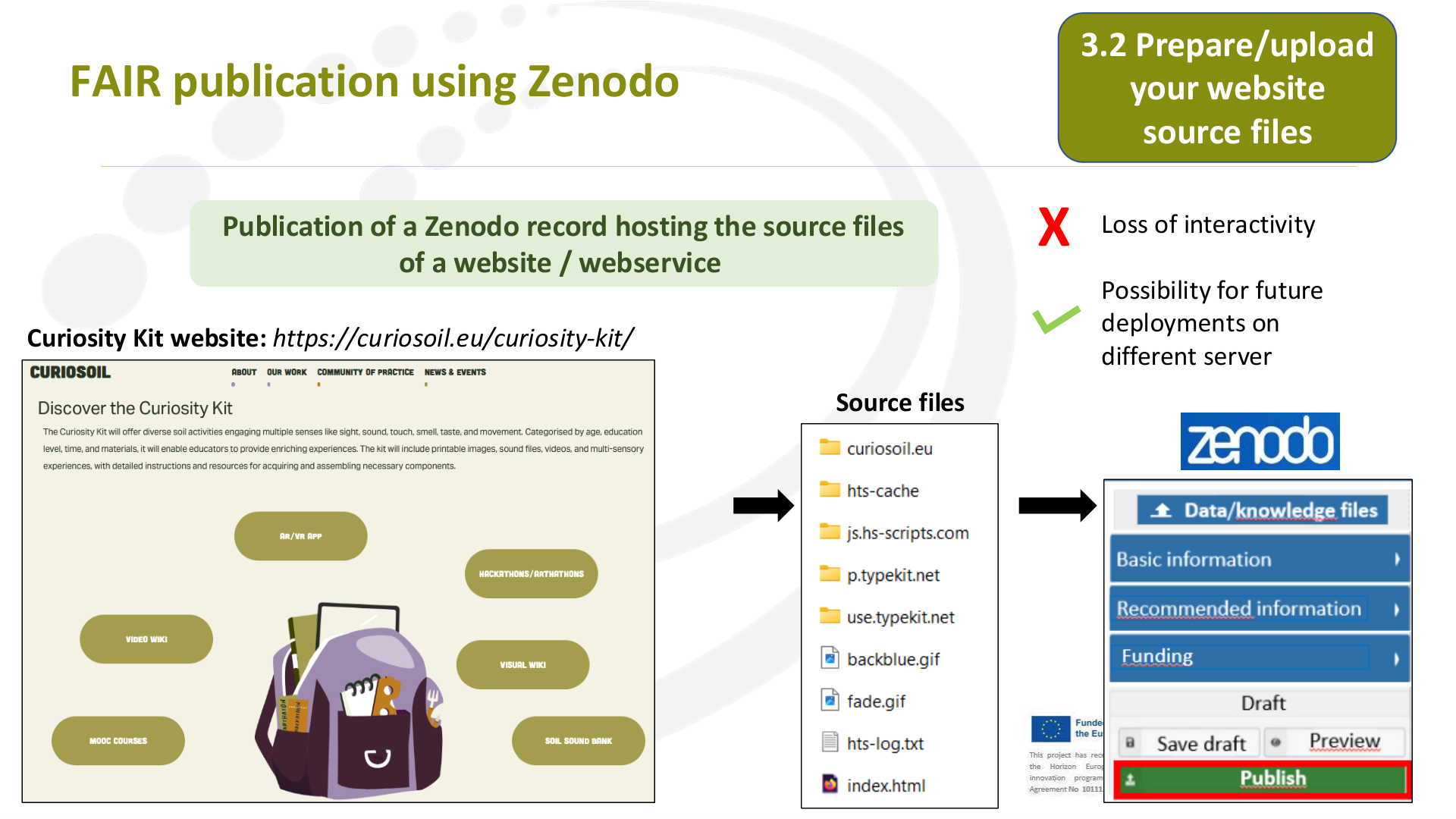
Curiosity Kit website: https://curiosoil.eu/curiosity-kit/
Publication of a Zenodo record hosting the source files
of a website / webservice
Source files
Loss of interactivity
Possibility for future
deployments on
different server
X
Page 31
Raw text - page 31
FAIR publication using Zenodo
1 – Extract the website source files
3.2 Prepare/upload
your website
source files
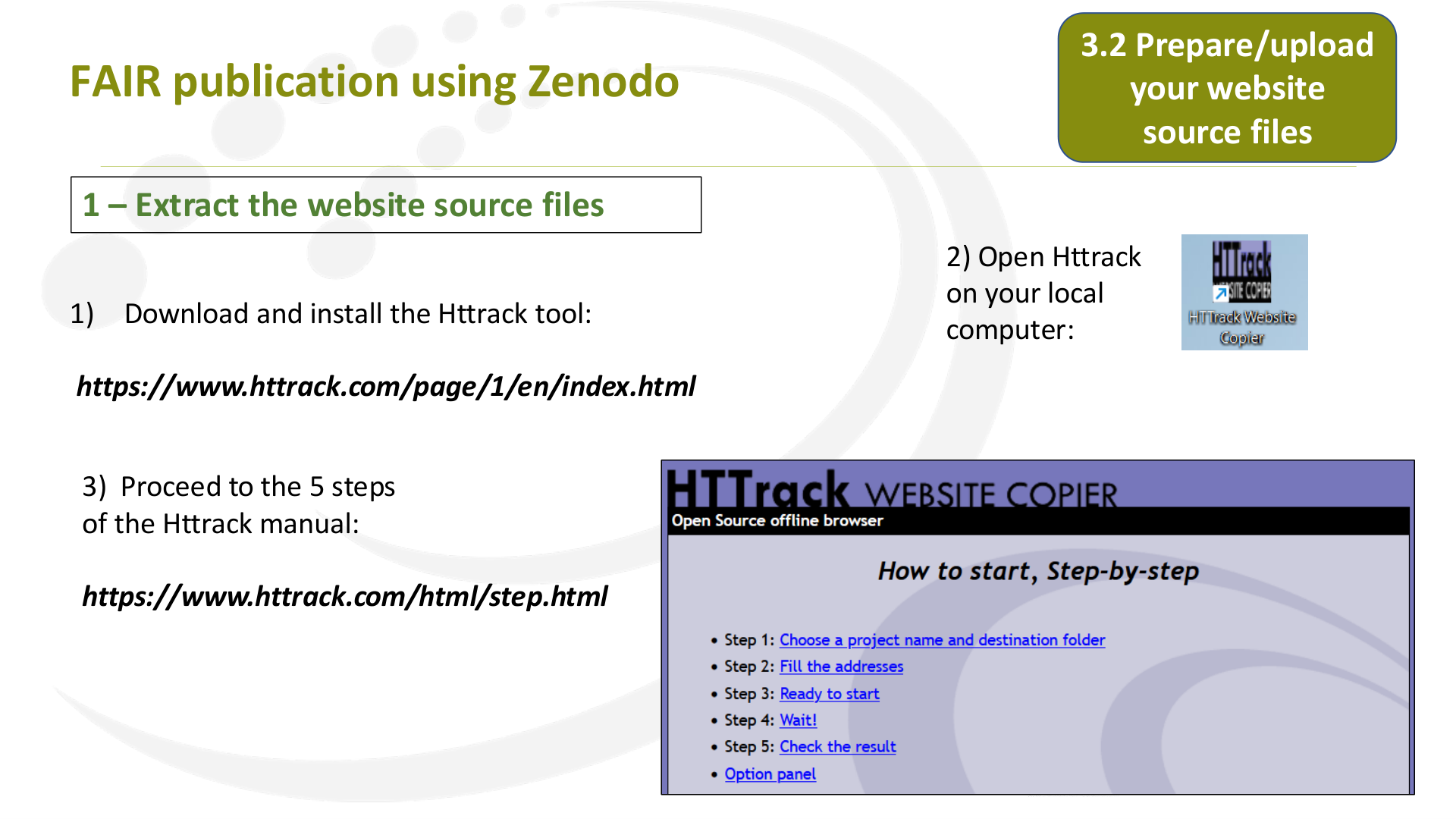
1)
Download and install the Httrack tool:
https://www.httrack.com/page/1/en/index.html
2) Open Httrack
on your local
computer:
3) Proceed to the 5 steps
of the Httrack manual:
https://www.httrack.com/html/step.html
Page 32
Raw text - page 32
FAIR publication using Zenodo
1 – Extract the website source files
3.2 Prepare/upload
your website
source files
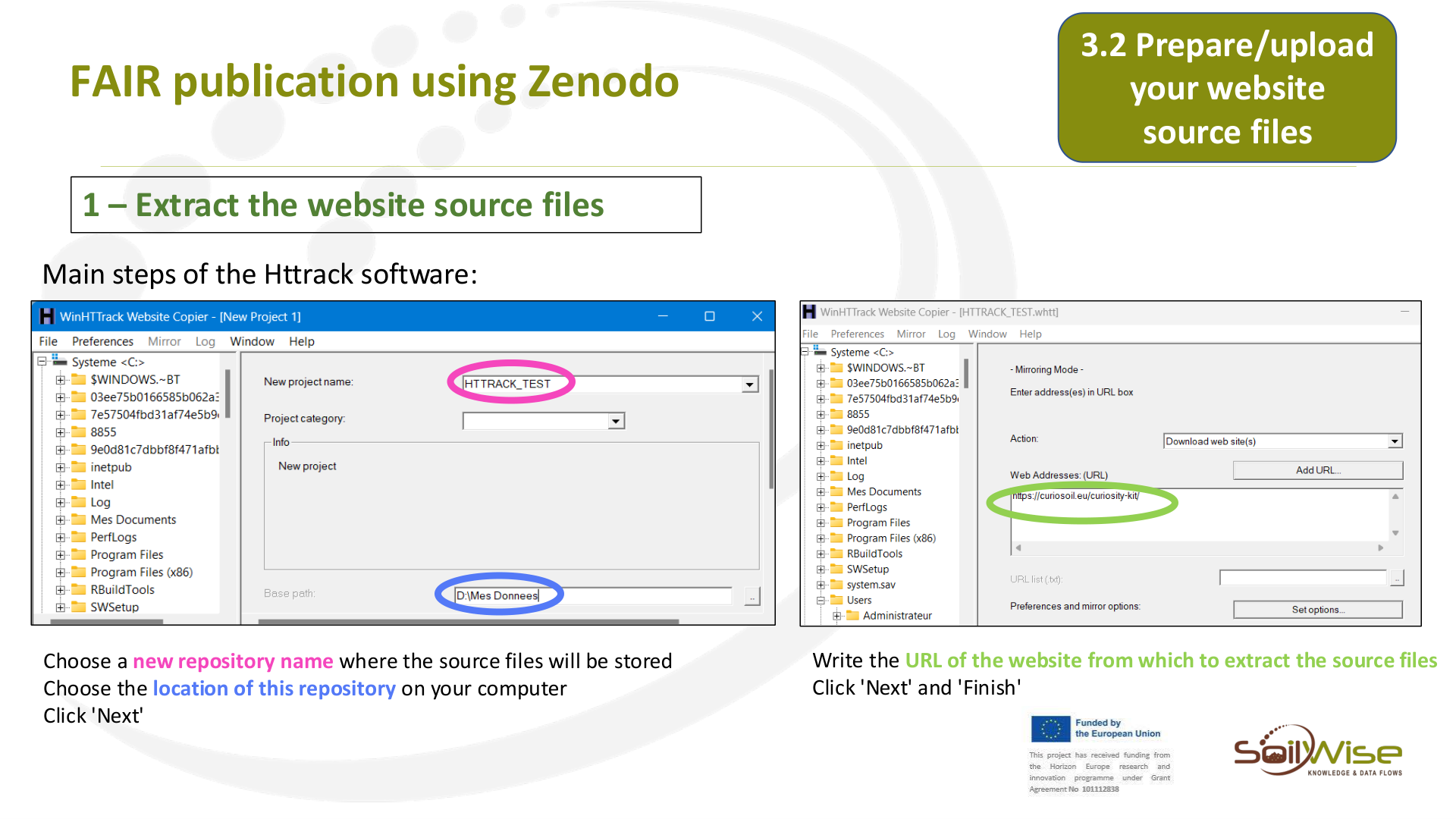
Main steps of the Httrack software:
Choose a new repository name where the source files will be stored
Choose the location of this repository on your computer
Click 'Next'
Write the URL of the website from which to extract the source files
Click 'Next' and 'Finish'
Page 33
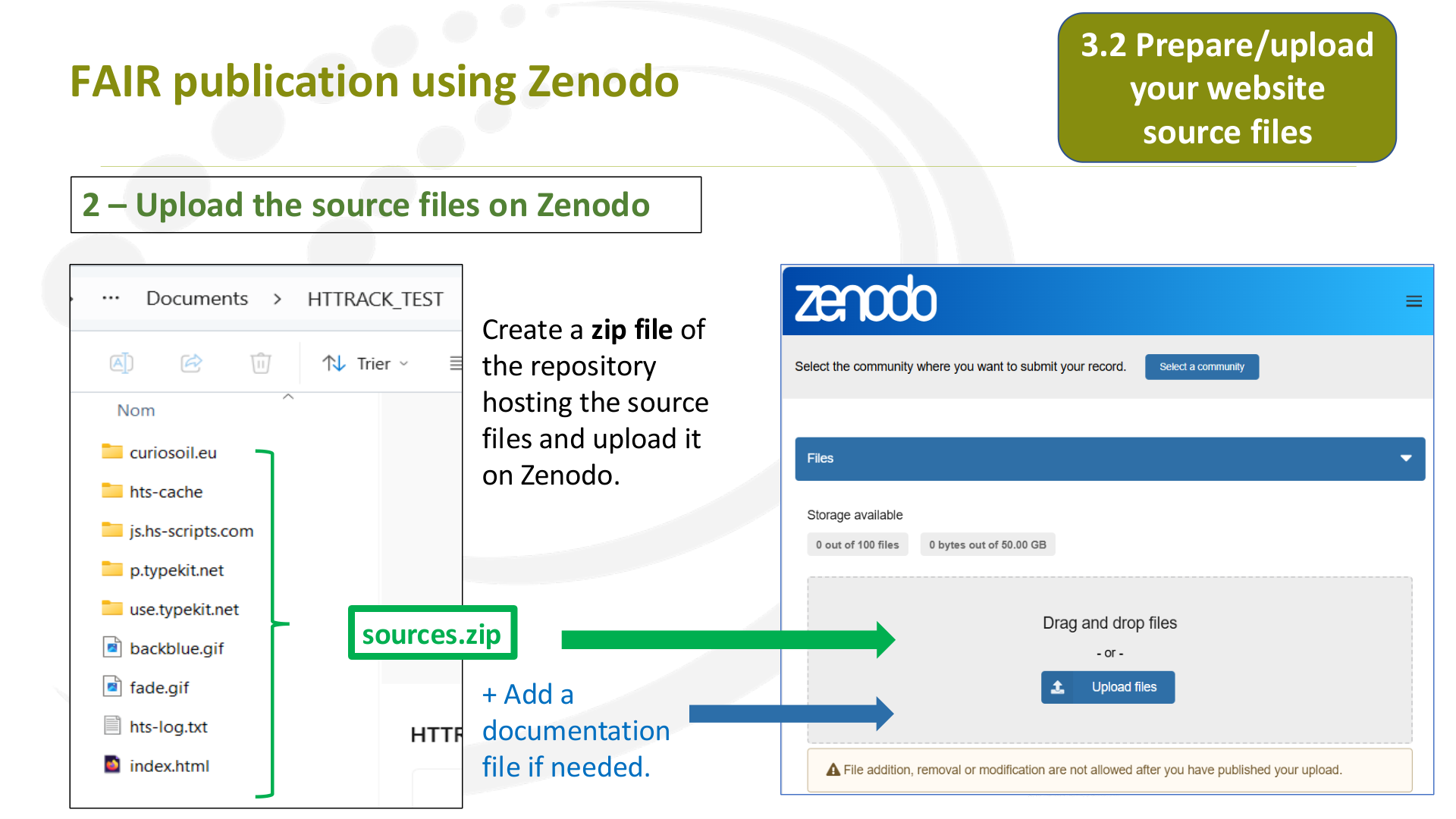
Raw text - page 33
FAIR publication using Zenodo
2 – Upload the source files on Zenodo
3.2 Prepare/upload
your website
source files
Create a zip file of
the repository
hosting the source
files and upload it
on Zenodo.
+ Add a
documentation
file if needed.
sources.zip
Page 34
Raw text - page 34
FAIR publication using Zenodo
4. Publish /
check on SoilWise
Page 35
Raw text - page 35
FAIR publication using Zenodo
4. Publish / check
on SoilWise
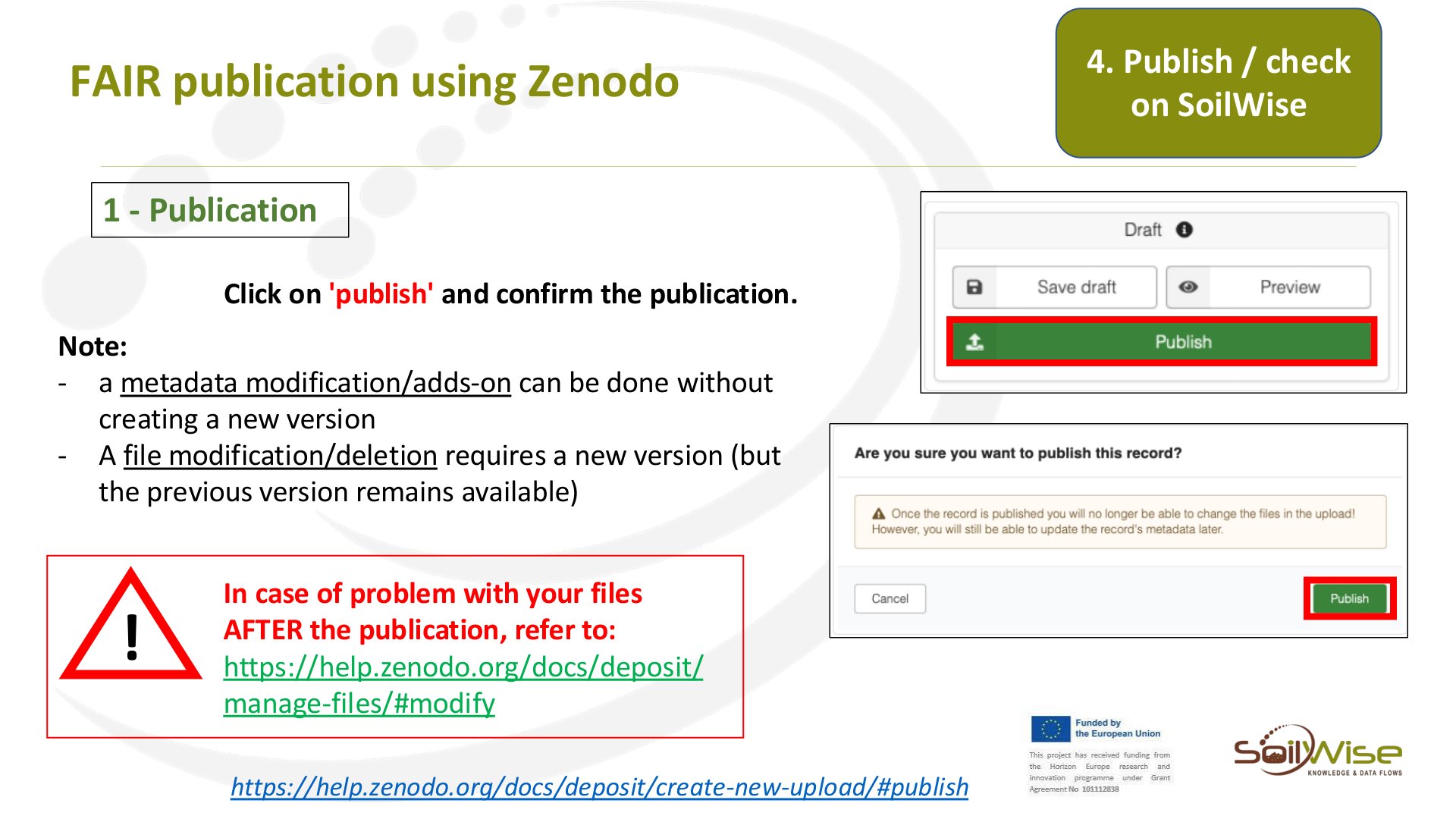
Click on 'publish' and confirm the publication.
!
In case of problem with your files
AFTER the publication, refer to:
https://help.zenodo.org/docs/deposit/
manage-files/#modify
https://help.zenodo.org/docs/deposit/create-new-upload/#publish
Note:
-
a metadata modification/adds-on can be done without
creating a new version
-
A file modification/deletion requires a new version (but
the previous version remains available)
1 - Publication
Page 36
Raw text - page 36
FAIR publication using Zenodo
4. Publish / check
on SoilWise
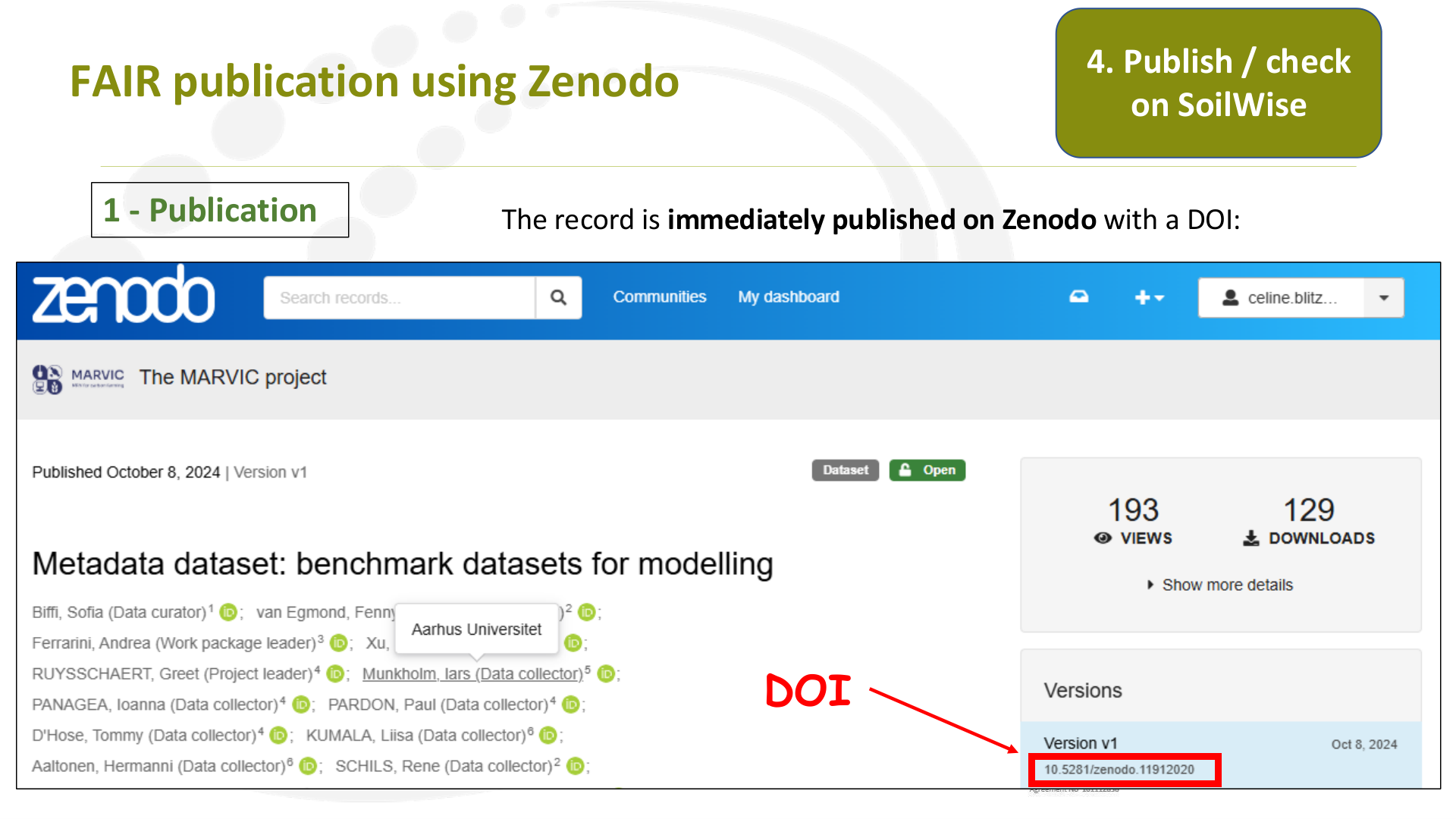
DOI
1 - Publication
The record is immediately published on Zenodo with a DOI:
Page 37
Raw text - page 37
FAIR publication using Zenodo
4. Publish / check
on SoilWise
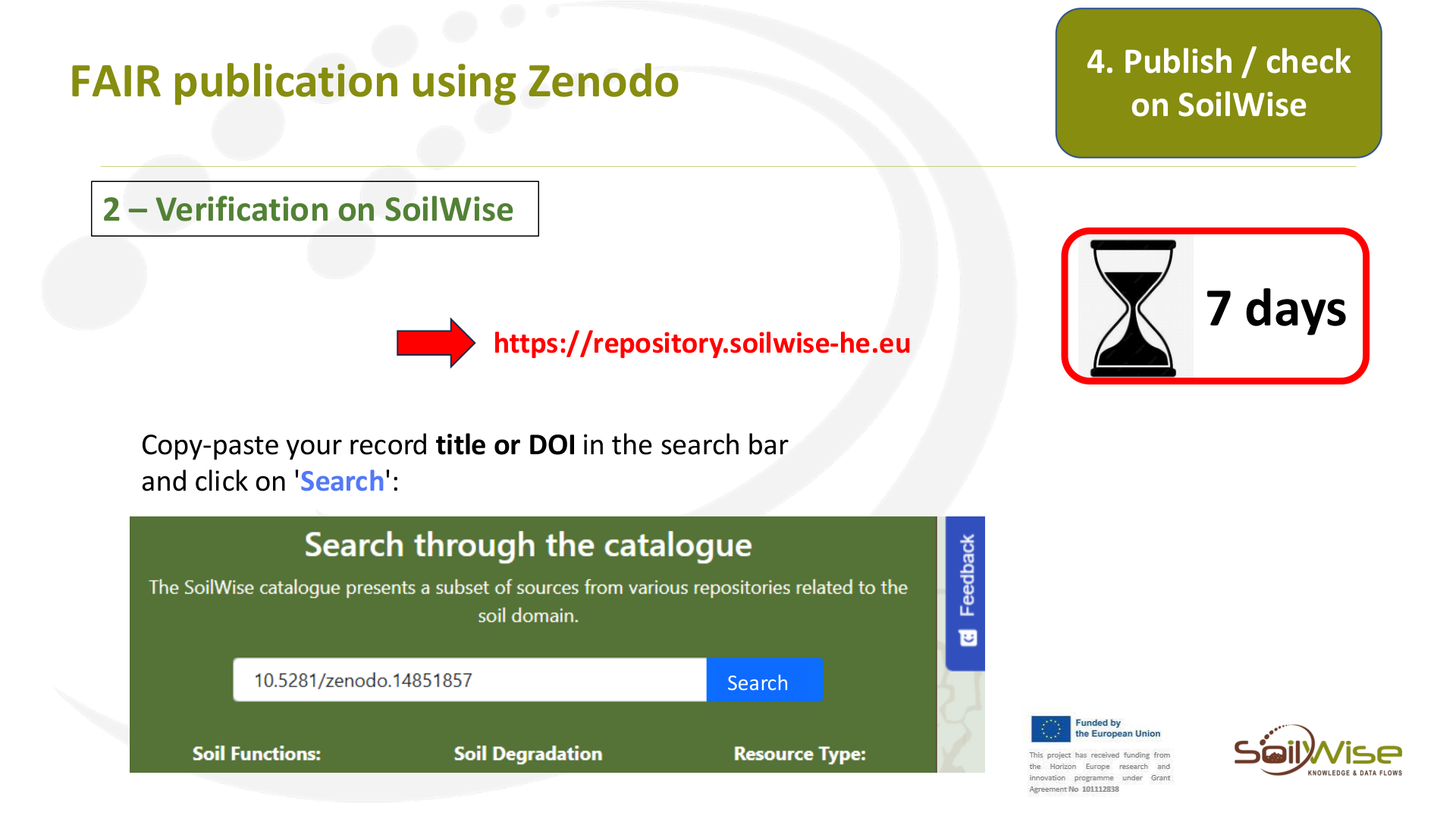
2 – Verification on SoilWise
Copy-paste your record title or DOI in the search bar
and click on 'Search':
https://repository.soilwise-he.eu
7 days
Search
Page 38
Raw text - page 38
FAIR publication using Zenodo
4. Publish / check
on SoilWise
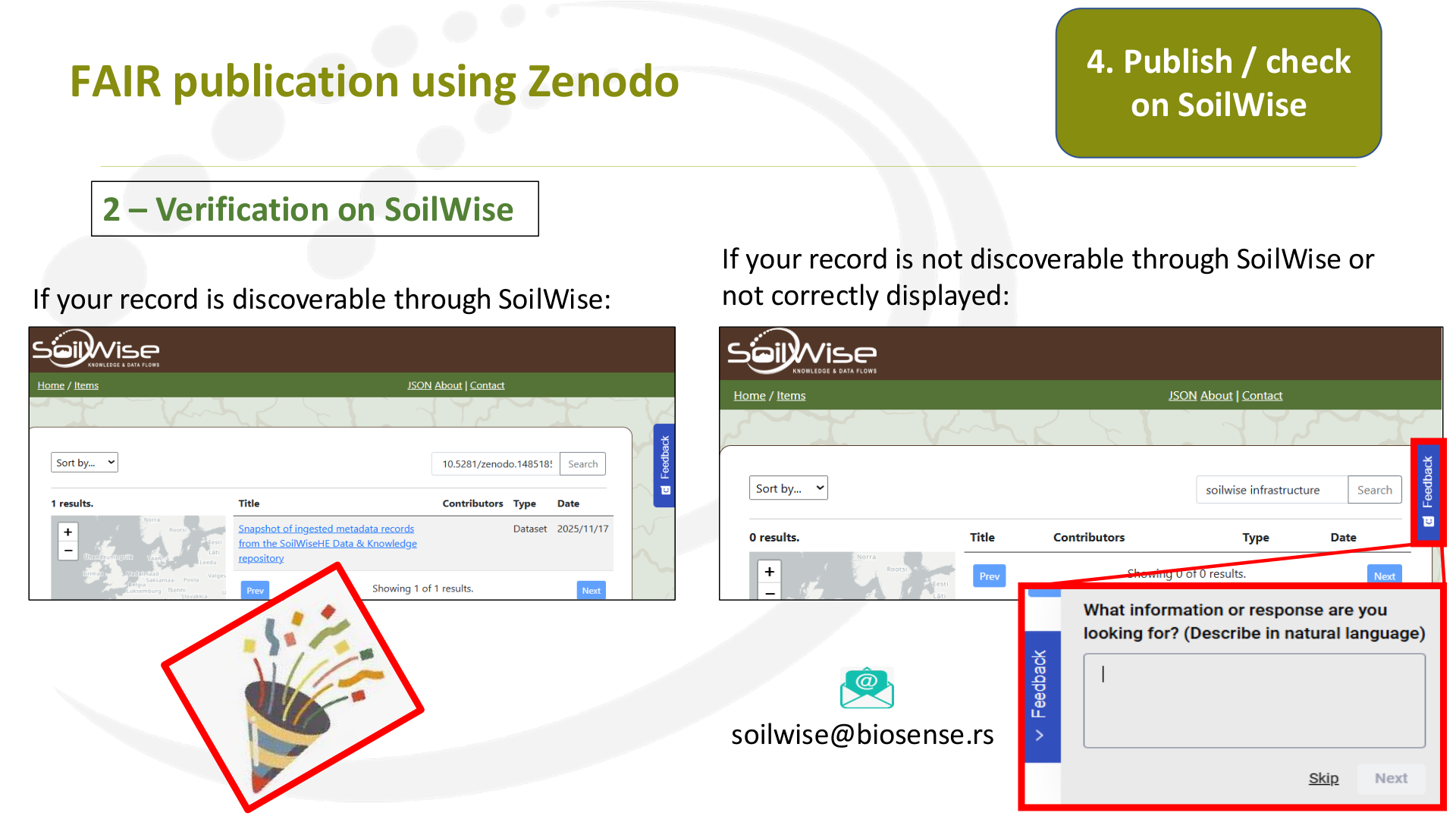
2 – Verification on SoilWise
If your record is discoverable through SoilWise:
If your record is not discoverable through SoilWise or
not correctly displayed:
soilwise@biosense.rs