SoilWise Geopackage
Navigating GeoPackage Tables via Forms
The GeoPackage format is based on a relational database, where information is organized into tables linked through structured relationships. In this context, a parent–child relationship represents the connection between a main table (parent) and a related table (child), defined through a primary key in the parent table and a foreign key in the child table. This mechanism ensures data consistency, allows hierarchical structures to be represented, and facilitates navigation across related records.
The parent–child relationship is fundamental for modeling complex data in an organized, scalable way and in accordance with the principles of the relational database model
You can explore the GeoPackage tables using forms.
Parent‑to‑Child Navigation
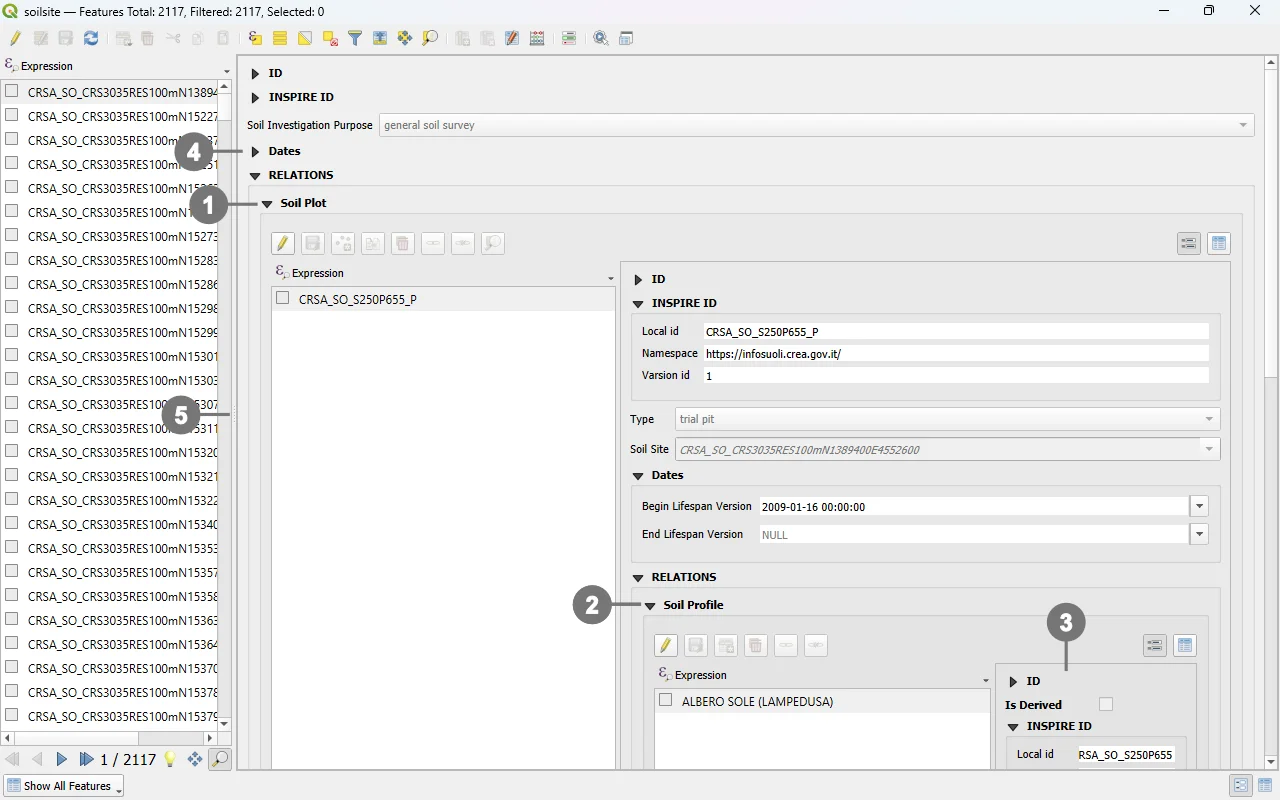 The relationships defined between the tables enable the display of subforms for related records: to show them, expand the corresponding section by clicking the icon ①.
Navigation can proceed through additional related layers by further expanding the nested forms ②.
When there are many relationships and the available screen space is limited (depending on your monitor's resolution), some content may not be fully displayed ③.
In these cases, it is recommended to:
Collapse unnecessary sections ④ to free up vertical space.
Reduce the width of the left panel (the one showing the list of records) by dragging the divider ⑤, thus reclaiming horizontal space and improving field readability.
Child‑to‑Parent Navigation
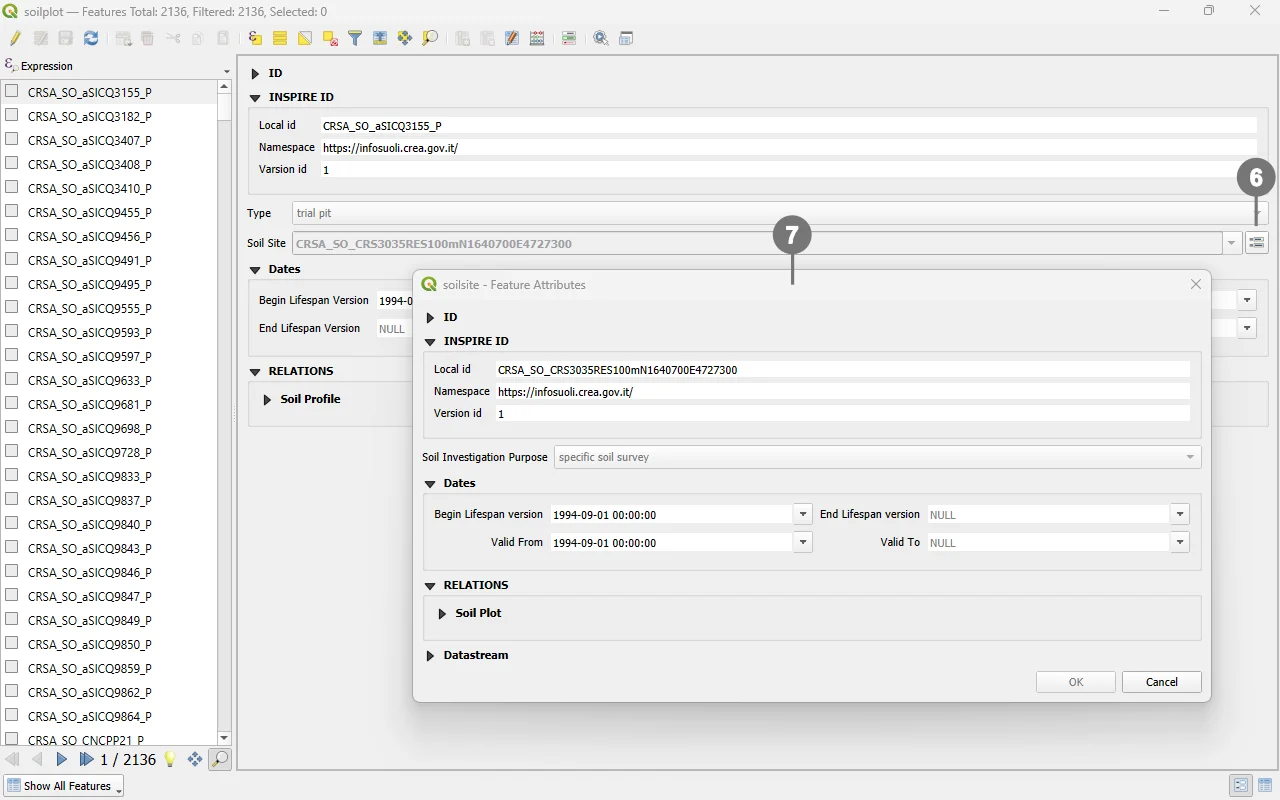 Navigation to the parent record is performed through the button ⑥ associated with the foreign key field.
Clicking it opens the form ⑦ of the corresponding record.
Tip
To open the customized forms, go to the Layers panel, right‑click the desired layer, and choose Open Attribute Table from the context menu.